Tag: Android
Common Android problems and how to fix them!
Every OS has its own problem! And Android is not an exception! Today we’ll show you some common Android problems that you may encounter as well as how to fix them!
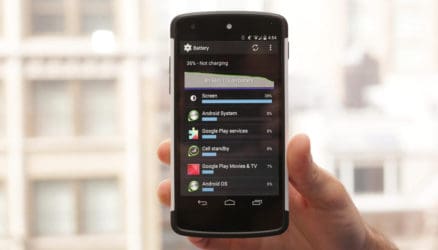
Common Android problems: performance issues!
The first issue among common Android problems is about the battery! I’m sure many of you wonder why your smartphone battery runs out so fast! Unless the battery is small already, there are many methods to deal with such problem! Remember turn off all connectivities if they are not in use: wifi, 3G, bluetooth, NFC! Also don’t forget to turn off GPS after you use it! GPS kills the battery really fast! Moreover, remember to turn of unnecessary applications running in the background! Another way to deal with this problem is to use battery saving mode or battery saving application offered by trustworthy developers like HTC! Reduce the screen brightness is also a successful solution!
One of the most common Android problems is the application! There are many times when the app you’re using stops unexpectedly and you have to do everything again from the beginning. To prevent this problem, remember to regularly clear the cache of all the applications you’ve downloaded (not the pre-installed ones). Go to settings -> application management -> all apps, then choose each app and tap “clear cache”!

We cannot talk about common Android problems without mentioning the interface! Many users report that the interface of their phones runs very slow and sometimes suddenly stops! Unless the CPU of the phone is slow itself, you can do this simple tip to deal with the problem: remove the installed interface and use the default IU offered in your smartphone! Also remove the live background or live gadgets too keep the phone running smoothly!
Common Android problems: Google Play Store malfunctions!
Last but not least about the common Android problems, we have apps download failure! To solve this, clear th cache of Google Play Store. If it still doesn’t work, try clearing download history by going to the Store -> Settings -> Clear Local Search History.
You May Like
-
 Best Nokia Phones October 2025: 18GB RAM, 200MP Cameras!
-
 Best Nokia Phones August 2025: 16GB RAM, 8800mAh Battery!
-
 Best Smartphones Of 2025: 200MP Cameras, 16GB RAM!
-
Best compact phones 2025: 12GB RAM, 50MP Cameras!
-
Top Chinese Phones July 2025: 50MP Cameras, 6000mAh Battery!
-
Best smartphone launches of the week: 12GB RAM, 5000mAh Battery!
10 best Android phones for Rs. 10K and below: 4100mAh batt, dual cam
Android smartphones are really becoming more popular and stronger in the mobile market. So, if you want to buy a new one with a price around Rs. 10,000 or even cheaper, please check the following list!
1. XIAOMI REDMI NOTE 3
Xiaomi Redmi Note 3 is considered as a “killer deal for Rs. 10,000.” It is easy to understand as the Note 3 is very affordable and built with many strong specifications such as a 5.5-inch Full HD screen, MIUI 7.0 based on Android 5.1.1 Lollipop OS, a Snapdragon 650 chipset, and a huge 4,100mAh battery with fast charging tech.
Besides, other Xiaomi Redmi Note 3 specs are also good: 16/32GB of internal storage (expandable), 2/3GB of RAM, a combo of 16MP rear-facing (with f/2.0, PDAF, and dual LED flash) + 5MP f/2.0 front camera, a dual SIM, 4G LTE connectivity, VOLTE, and a fingerprint scanner. Xiaomi Redmi Note 3 price in India is Rs. 9,999 for the 2GB RAM variant.

You May Like
-
Best Nokia Phones October 2025: 18GB RAM, 200MP Cameras!
-
Best Nokia Phones August 2025: 16GB RAM, 8800mAh Battery!
-
Best Smartphones Of 2025: 200MP Cameras, 16GB RAM!
-
Best compact phones 2025: 12GB RAM, 50MP Cameras!
-
Top Chinese Phones July 2025: 50MP Cameras, 6000mAh Battery!
-
Best smartphone launches of the week: 12GB RAM, 5000mAh Battery!
Nokia C1 design: stunning alloy body, 3GB RAM and more
Nokia Android smartphones is becoming a hotter topic than ever, especially after the Nokia P1 press render leaked last month. Very recently, another render has been unveiled, and it looks just stunning. Introducing the Nokia C1 design with…..
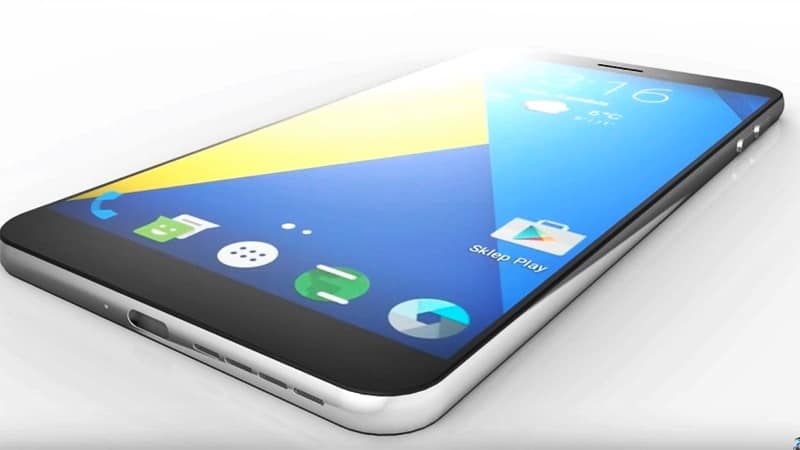
Nokia C1 design: stunning, realistic, fashionable
Earlier we know about Nokia C1 as a miniature version of Nokia N1 tablet, with similar design and synced feature. The latest Nokia C1 design render published by Techconfigurations seems to be proving it true. At first glance, Nokia C1 design looks like that of a classic elegant Android smartphone with alloy body with the combination of a premium glass screen. Such choice of material gives the phone a feel of high fashion yet still solid as a machine.
Also according to the same source, Nokia C1 specs will include 5.5 inch full HD display. This screen is protected by high-quality 2.5D glass. There is 3GB of RAM and 64GB of internal storage to power the phone. As for the camera, there will be 13MP on the back and 5MP on the front. The report didn’t clarify whether this Nokia C1 design will be featuring Pureview sensor for it main shooter. But we really hope to see the Pureview on this Android Nokia phone, as this is such a cool feature everyone falls in love with. Nokia C1 price has not been specified yet, but will be no more than USD 300, as Nokia planned to target the budget market the moment they get back.

Nokia C1 will be running over Android Marshmallow by the time it is launched. There is a customized Z Launcher UI to distinguish the smartphone from others. More interestingly, we also heard that, there seems to be a “compact” version of this mobile. The variant is slightly smaller with 5 inch display, slightly lower end with 2GB RAM and 32GB ROM. However, this is yet to be confirmed by the company.
Nokia C1 design: witness the dawn of a new Era
Besides those stunning images published, Techconfigurations also introduce a 3D video of this Nokia C1 design, so you can have a fuller, more detailed look of it. We are getting more and more excited for Nokia come back, as their recent render designs never cease to surprise and please us with how gorgeous they can be. As far as we know, the grand event of Nokia come back will be held later this year, Q4 2016.
You May Like
-
Best Nokia Phones October 2025: 18GB RAM, 200MP Cameras!
-
Best Nokia Phones August 2025: 16GB RAM, 8800mAh Battery!
-
Best Smartphones Of 2025: 200MP Cameras, 16GB RAM!
-
Best compact phones 2025: 12GB RAM, 50MP Cameras!
-
Top Chinese Phones July 2025: 50MP Cameras, 6000mAh Battery!
-
Best smartphone launches of the week: 12GB RAM, 5000mAh Battery!
How new Android app could save your life
You are in an exigent circumstance and you need help. What will you do? Do not worry! Now you can ask for help from new Android app….
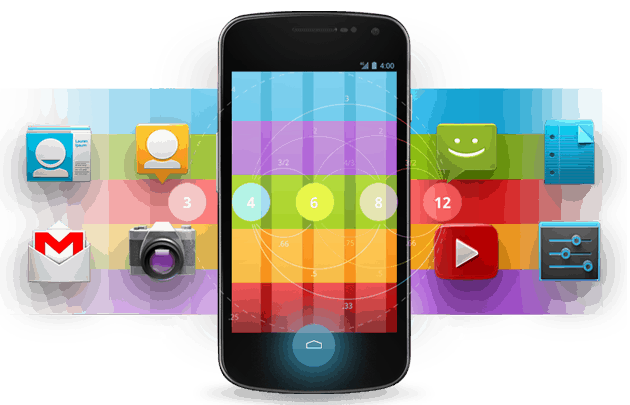
Emergency? How can new Android app help?
No one can imagine that when emergency could come since life is unpredictable. Priority is always given to keeping ourselves safe. There are multiple apps and a number of built-in applications that will let you aware of your current situation. New Android app will not just stop there. Google has announced the launch of Emergency Location Service, which sends your location of your phone to emergency services to emergency services in the event of dialing an emergency number, with support from mobile networks.
This new Android app is absolutely safe because your location is only sent to emergency services. More about privacy, all information about your location is never seen by Google or anyone else including Google server. The Emergency Location Service will be available as a part of Google Play Services. It supports phones running Android 2.3 Gingerbread or later. Google said it would cover around 99% of Android phones.
When Emergency Location Service is triggered, a GPS location is sent to Google, but anyway an operator will still ask you again about your location. In terms of wireless devices, it is kind of complicated, even with a GPS location, it can be hard to locate a caller who is inside a building or if they’re underground.
Will you be able to use this new Android app?
Emergency Location Service is already live in the UK and Estonia through carriers like BT, EE, Vodafone, O2, Tele2, and Telia. Google is working with other countries and carriers in order to introduce its new Android app. It is a competitive app since neither Apple or Microsoft has mentioned about whether their users can use similar services.
You May Like
-
Best Nokia Phones October 2025: 18GB RAM, 200MP Cameras!
-
Best Nokia Phones August 2025: 16GB RAM, 8800mAh Battery!
-
Best Smartphones Of 2025: 200MP Cameras, 16GB RAM!
-
Best compact phones 2025: 12GB RAM, 50MP Cameras!
-
Top Chinese Phones July 2025: 50MP Cameras, 6000mAh Battery!
-
Best smartphone launches of the week: 12GB RAM, 5000mAh Battery!
MESUIT case let you run Android on iPhone
Last month, we had a case that allowed Android to be a part of iOS. Now, a MESUIT case made by Chinese mobile OS virtualization company Haimawan can do it better.

MESUIT case: a new age of Android iPhone
MESUIT case is not the first time that some one tries to put this couple – Android and iOS together. Tendigi developer Nick Lee built a case that with an enclosed circuit board running an adapted version of Android Marshmallow. And this time, the MESUIT case is a commercial version produced by Haimawan company using a custom-built app, users can boot the iPhone in Android. The creative idea is possible thanks to Apple’s international popularity, they do not change their design much as well.
The MESUIT case provides Android-based operating system, called Mesuit OS 1.0. It is able to run on iPhone 6, 6 Plus, 6s and 6s Plus devices. More interesting, it also supports an external battery and storage expansion via its own SIM card slot. MESUIT case has different models for each kind of iPhone: for iPhone 6 and 6s are the same with an additional 1700 mAh of battery, while the bigger version for Plus accompanies with 2500 mAh. It also comes in three storage capacities – with 32GB, 64GB and 128GB of memory.
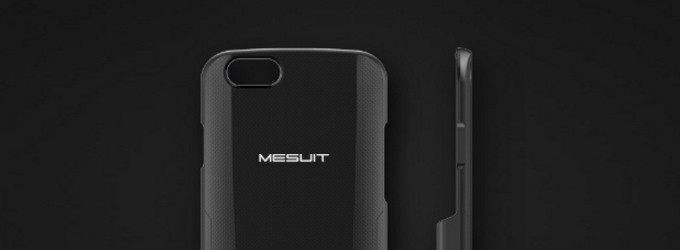
It is really easy to connect MESUIT case to your iPhone via the Lightning port and runs Android as an app within iOS. The case also contains a second Nano SIM slot that allows ease of use with the Android OS. However the MESUIT seems not to be better than its predecessor from Nick Lee because of lack of some features including SD card, HDMI, or full-size USB ports.
MESUIT case: in case you are interested……
The MESUIT case is available for sale in China with around $150 for iPhone 6 / 6S model. For the larger iPhone 6 Plus / 6S Plus, MESUIT case prices at $165. Unfortunately, the company has not announced if the MESUIT will be available outside of China.
You May Like
-
Best Nokia Phones October 2025: 18GB RAM, 200MP Cameras!
-
Best Nokia Phones August 2025: 16GB RAM, 8800mAh Battery!
-
Best Smartphones Of 2025: 200MP Cameras, 16GB RAM!
-
Best compact phones 2025: 12GB RAM, 50MP Cameras!
-
Top Chinese Phones July 2025: 50MP Cameras, 6000mAh Battery!
-
Best smartphone launches of the week: 12GB RAM, 5000mAh Battery!
5 things we hate about iOS smartphones
Lately, we’ve just brought you things we hate about Android and Windows Phone. So, this time, we’ll give you things we hate about iOS smartphones. Let’s have a look!
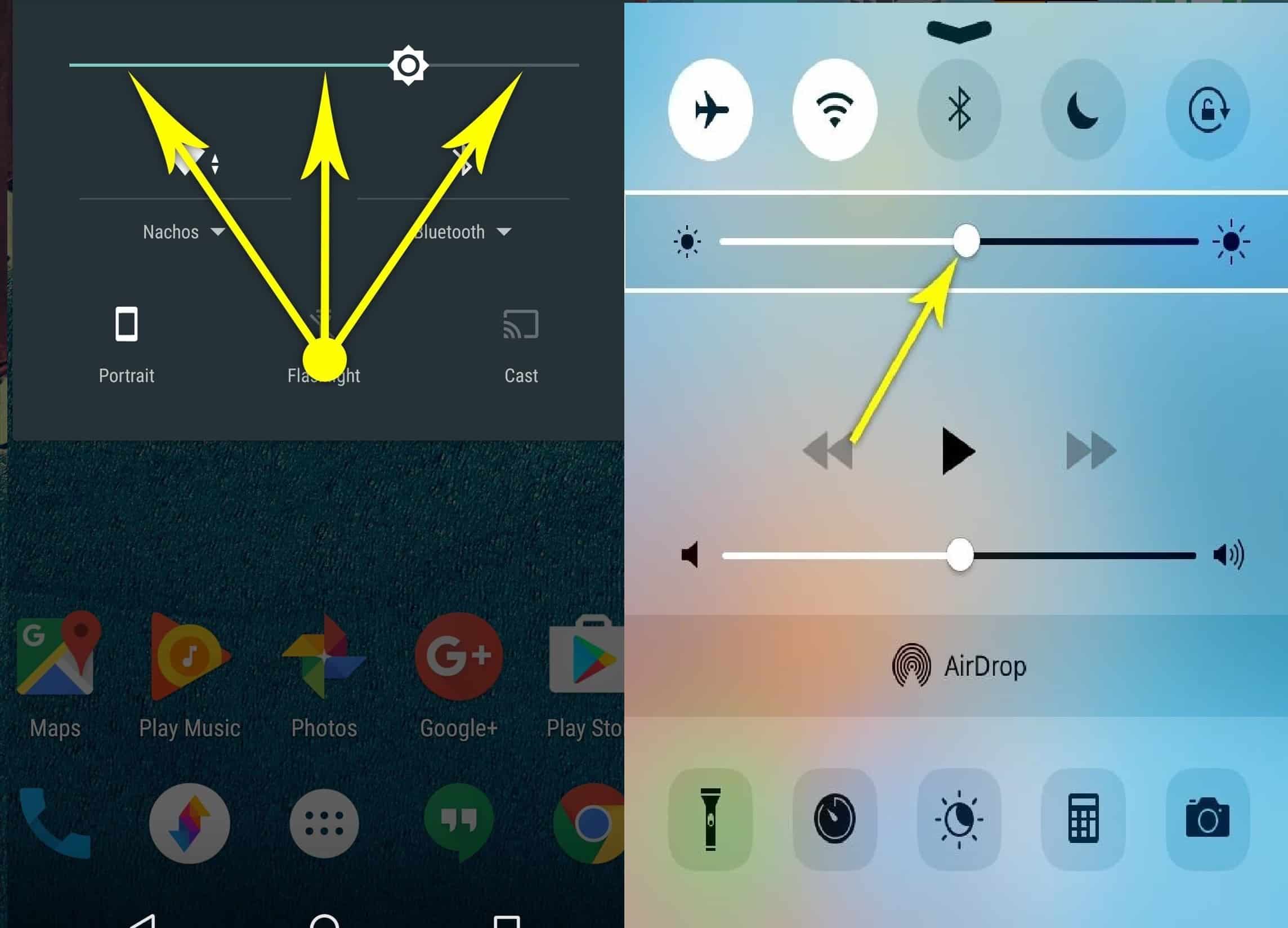
It’s hard to adjust brightness and volume sliders
The first is the brightness and volume sliders. On Android phones, all you have to do is simply tap at the place you want it to be. And the indicator will be there. On the other hand, on iOS smartphones, it’s harder to adjust the brightness and volume. You have to drag the little indicator to the right place. And it’s sometimes very annoyed. Secondly, you can’t hide apps from the Home screen. And this will make your screen just like a big app drawer. However, this will be fixed in iOS 10.
Thirdly, it’s hard to access the Settings. Quick Settings on Android devices is nearly similar to Control Center on iOS smartphones. You can go there and adjust things. However, on Android, you can access Settings easier in many ways. For example, when you want to connect to the other network, you can extend Quick Settings into the small menus. Or you can go the whole Setting menu in just one tap. iOS, you have to get back to Home screen > Setting app and then go the part you want to adjust.
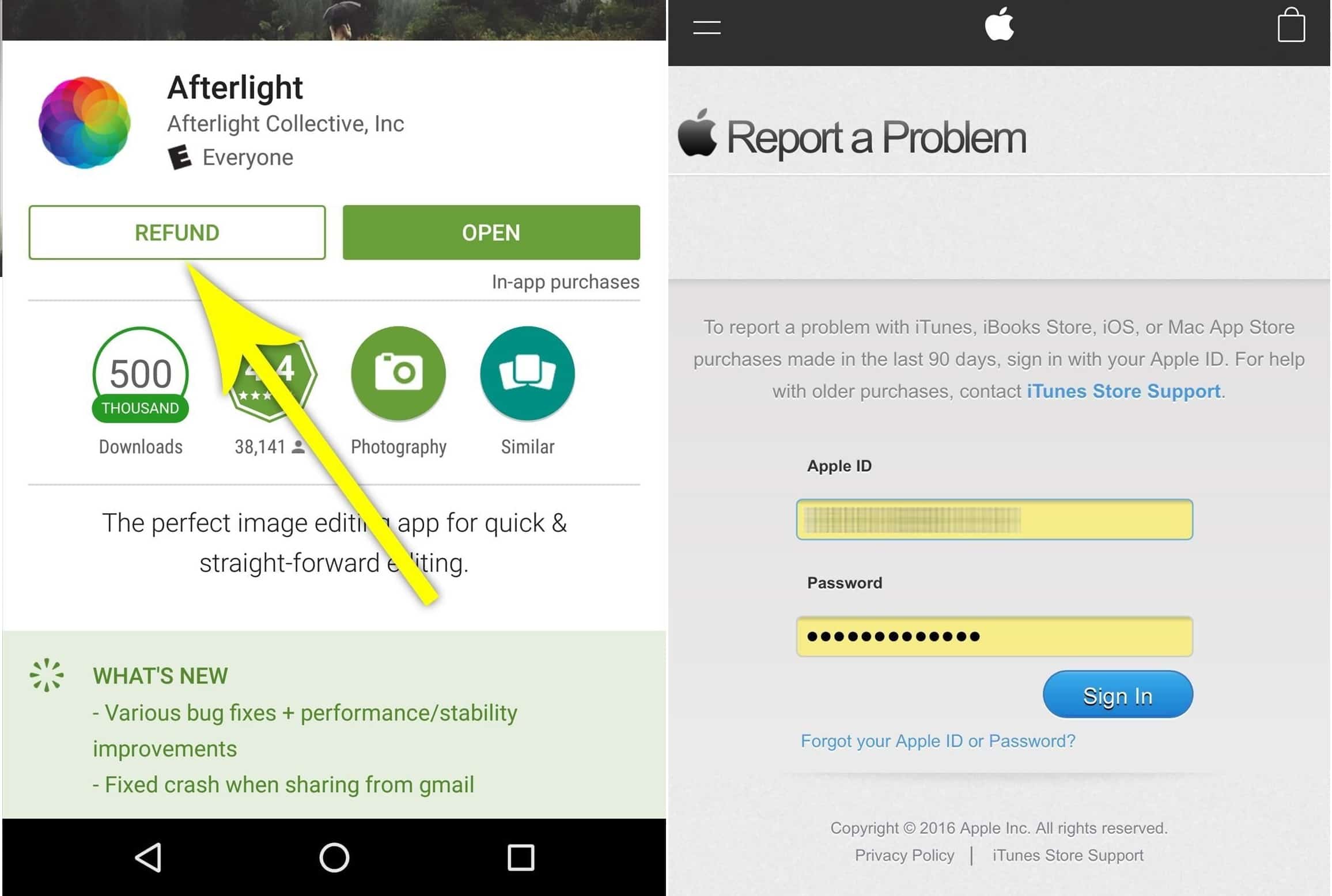
The four reason is app refund. If you’re still in the refund window, it will be so easy to get your app refund. Just go back to Play Store where you got your app, and press the “Refund” button. With iOS smartphones, you will have to do more than that. You have to go to a separate web and fill out a report. And now you can get your money back.
You can’t clear data in just one step on iOS smartphones
Last but not least, you just can’t remove data simply. Sometimes when your apps don’t work well or even corrupt/crash, you just need to uninstall that app on Android devices. Or you can go to App info and clear all its data and start it all over again. However, it’s not that easy on iOS smartphones. You never can uninstall an app. You just simply remove the main file and some app data. The other data will still be on your phone. If you want to erase it completely, you have to delete iCloud backups, and factory reset your phone.
You May Like
-
Best Nokia Phones October 2025: 18GB RAM, 200MP Cameras!
-
Best Nokia Phones August 2025: 16GB RAM, 8800mAh Battery!
-
Best Smartphones Of 2025: 200MP Cameras, 16GB RAM!
-
Best compact phones 2025: 12GB RAM, 50MP Cameras!
-
Top Chinese Phones July 2025: 50MP Cameras, 6000mAh Battery!
-
Best smartphone launches of the week: 12GB RAM, 5000mAh Battery!
Coolest Android Nougat official features
Android Nougat is coming soon. And this OS promised to give many exciting features. Let’s see what those Android Nougat official features are!
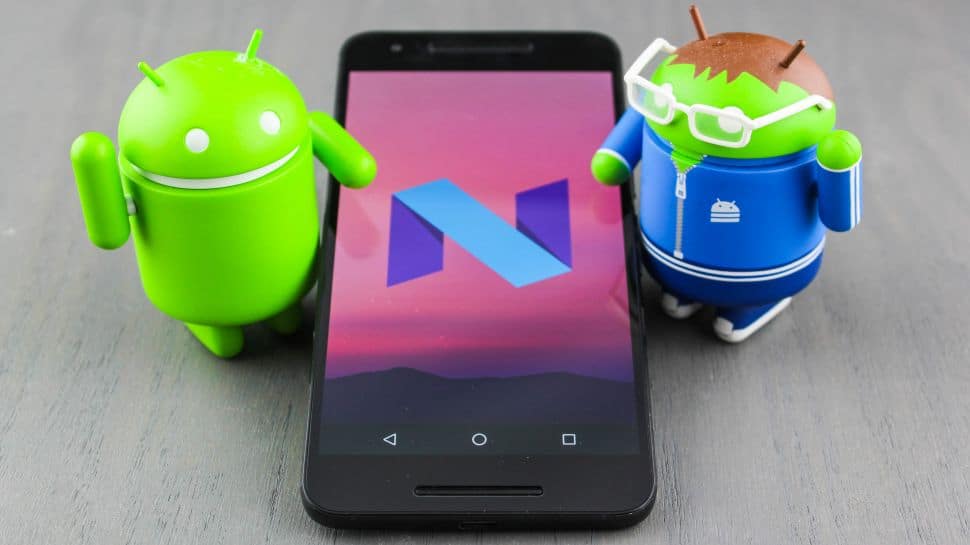
1. Quick switch and multi-window
For everyone using Android OS, now you can be happy to use the multitasking feature. We all know that the multitasking feature is very excellent. However, this feature is even better than before. Now you can immediately switch to your latest app by just tapping twice time the “Recent” button. Quick Switch allows you to do it easily. You can also find a “Clear All” button in the Recent menu which is not available in Android Marshmallow.
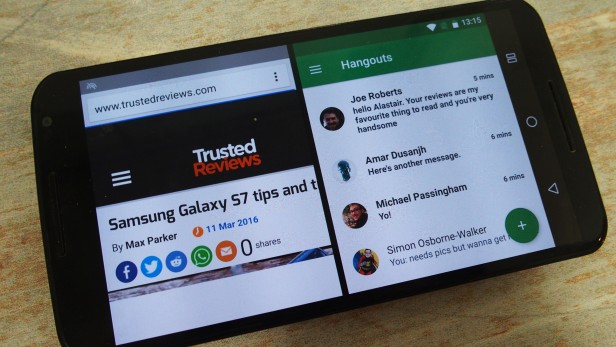
There is also a multi-window feature in the Recent menu. This multi-window allow you to open 2 apps at the same time. You can see two apps in the split screen. For example, you can be able to message friends while browsing websites. You can even drag items between the two used apps. Cool, right? All you need to do is press the Recent button within an app. And then you choose the second app to open it.
You May Like
-
Best Nokia Phones October 2025: 18GB RAM, 200MP Cameras!
-
Best Nokia Phones August 2025: 16GB RAM, 8800mAh Battery!
-
Best Smartphones Of 2025: 200MP Cameras, 16GB RAM!
-
Best compact phones 2025: 12GB RAM, 50MP Cameras!
-
Top Chinese Phones July 2025: 50MP Cameras, 6000mAh Battery!
-
Best smartphone launches of the week: 12GB RAM, 5000mAh Battery!
4 things iPhone does better than Android devices
iPhone and Android devices have been opponents for years. iPhone used to be exclusive in the market, Android devices have changed the situation though, there are still 4 things below your Android buddy can not do.
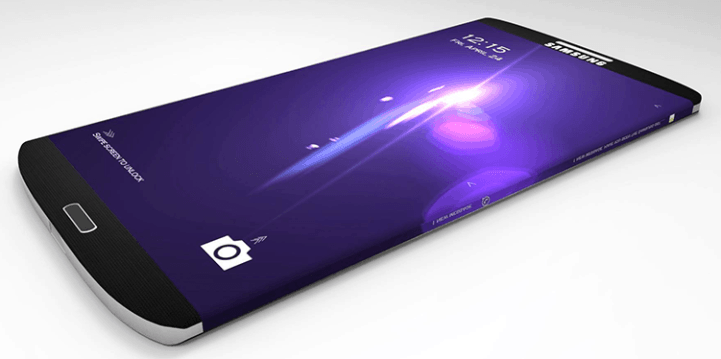
Android devices need to be improved…
Firstly, power efficiency is an important thing that users always care about. Although Android devices can not be counted now, according to some reports about battery benchmarks, the iPhone still takes the cake for efficiency. This is a difficult situation for Google to correct as it is not able to control over hardware and software integration, but Google is working hard for Google’s guidelines on Marshmallow, which is a right step.
Secondly, Apple always does its best to take care of apps. It takes time to update apps on Google store. Otherwise, Apple provides its users with direct pipeline for updating software. Sometimes it is kind of dangerous when security threats are not properly fixed. To solve such problem, Google has developed parts of the Android OS to receive updates from directly from Google Play, but it is still a small step to achieve what Apple is doing to support iPhones and iPads.
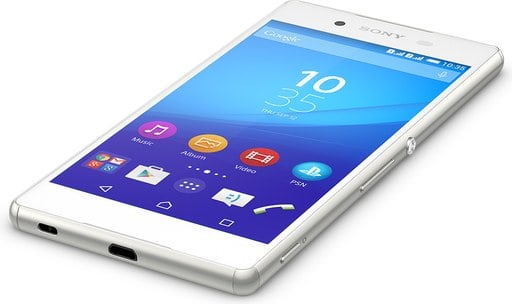
Thirdly, Apple has focused on improve its retail store network. Thus, iOS users can be strongly supported. In terms of Android devices, they are not directly supported by Google, but they have indirect support through individual manufacturers, such as Samsung. With the myriad number of different Android products out in the market, it’s not quite as common that a Galaxy owner will be responsible for supporting an LG, Moto, or Nexus.
Fourthly, Android devices need to have……
Platform consistency is an Android’s strength. Apply has been loyal to the same UI for many years. It seems to be a weakness when there are few changes appear after upgrading. Meanwhile, Android devices has get into an opposite way. For instance, the jump from Galaxy S2 to Galaxy S6 would represent some pretty significant changes to the UI. If you know anything that iOS does better than Android devices, please comment below
You May Like
-
Best Nokia Phones October 2025: 18GB RAM, 200MP Cameras!
-
Best Nokia Phones August 2025: 16GB RAM, 8800mAh Battery!
-
Best Smartphones Of 2025: 200MP Cameras, 16GB RAM!
-
Best compact phones 2025: 12GB RAM, 50MP Cameras!
-
Top Chinese Phones July 2025: 50MP Cameras, 6000mAh Battery!
-
Best smartphone launches of the week: 12GB RAM, 5000mAh Battery!
5 cool things Android owners should not miss
There are so many cool Android stuff that you probably don’t even know. Here are five things every Android owners should try.
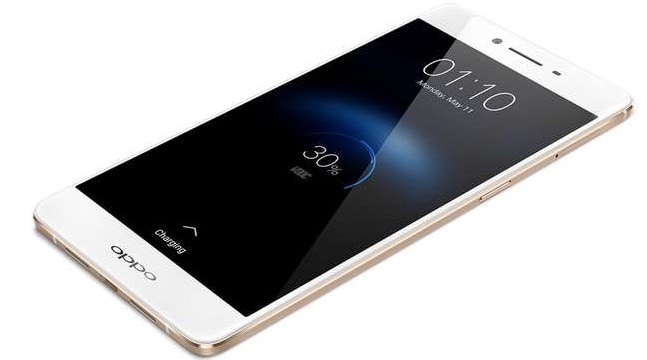
Android owners could save their money
Using Wi-Fi saves not only battery life but also your mobile data. Android owners do need to worry anymore. Firstly, by triggering Data Saver from Chrome, you can also reduce data usage per month. Just go to Chrome > Settings and meet Data Saver mode. Likewise, did you know you can tell your phone to keep Wi-Fi on during sleep? Just go to Settings > Wi-Fi > Advanced > Keep Wi-Fi on during sleep and choose Always. That is for your phone not to reconnect to Wi-Fi every time.
Secondly, do not worry about your drained battery. Android owners’d better turn off ‘ambient display’ or ‘adaptive brightness’ which causes battery lose and do it manually as the display is a key area where battery life is lost. The sensor light level determination is not as accurate as the human eye, you can set a more appropriate display brightness for the current circumstances.
Thirdly, Google Now on Tap which helps you get information about whatever is on your screen without manually searching. To enable Google Now on Tap, head over to Settings > Google > Search & now > Voice and turn it on. To disable Now on Tap, press and hold on the home button to go to Settings again. Fourthly, another useful app for Android owners is Google Now. This app acts as a virtual personal assistant, which you can use to retrieve information quickly and easily. Just follow such steps above, after Voice tab, turn on OK Google detection.
The last tip for Android owners is interesting with…..
Finally, lock screen security can be set up. You are boring the traditional password within numbers or letters. Then set up a new pattern right now. Just go to Settings > Security > Screen lock or, on some devices, Settings > Lock Screen to set up your preferred type of lock screen security. If you have more tips and want to share them, just comment below.
You May Like
-
Best Nokia Phones October 2025: 18GB RAM, 200MP Cameras!
-
Best Nokia Phones August 2025: 16GB RAM, 8800mAh Battery!
-
Best Smartphones Of 2025: 200MP Cameras, 16GB RAM!
-
Best compact phones 2025: 12GB RAM, 50MP Cameras!
-
Top Chinese Phones July 2025: 50MP Cameras, 6000mAh Battery!
-
Best smartphone launches of the week: 12GB RAM, 5000mAh Battery!
How to increase internal memory of your Android phone
It seems like the internal memory has never satisfied users demand of storage. Hopefully, a few useful tips below may help you increase internal memory of your Android phone.

How to increase internal memory of Android phone
Even though curent smartphones support massive built-in storage, they seem not enough for tons of images, apps, and files. More important, your Android phone speed may be slow down because of overstock. These are some solutions for this problem. Firstly, the best way is wiping out the cache of your Android phone. To clear the cache memory, tap on the Settings > Manage Apps > tap on All option and select clear cache. After that all junk files and folder will be removed from your smartphone. Moreover, you can download a third party apps, which is free to clear cache from your smartphone.
Secondly, you can move all unused apps from your Android phone to SD card by reaching the Manage Apps option from Setting in your phone. Then, select one or more apps which you want to move into SD Card > Now, tape on the Move to SD Card. Normally, most of the smartphone these days is backed up with SD Card, which offers enough space to storage files. Thirdly, it is necessary close unused running program in case you want your smartphone to work faster.

Fourthly, your Android phone may be attacked by viruses, which enter your smartphone through the internet. To destroy them you need an antivirus programme. After installing antivirus in your smartphone when any the software will automatically search and remove from your phone and increase the speed your smartphone.
Last but not least
Finally, there is the last solution for your problem, that is the mysterious cloud storage. As so many manufacturers offer their users cloud storage just like Dropbox, SkyDrive and Google Drive. The Cloud storage facility is used to store large documents, images, audio, videos and other things which is important for you. This is one of the great way to increase internal memory of your smartphone.
You May Like
-
Best Nokia Phones October 2025: 18GB RAM, 200MP Cameras!
-
Best Nokia Phones August 2025: 16GB RAM, 8800mAh Battery!
-
Best Smartphones Of 2025: 200MP Cameras, 16GB RAM!
-
Best compact phones 2025: 12GB RAM, 50MP Cameras!
-
Top Chinese Phones July 2025: 50MP Cameras, 6000mAh Battery!
-
Best smartphone launches of the week: 12GB RAM, 5000mAh Battery!
5 reason why iOS is STILL far behind Android in popularity
iOS devices are attractive many technical followers. But it still can’t compete with Android OS. Why? Let’s see 5 reason why iOS is still far behind Android in popularity.
 5 reason why iOS is still far behind Android OS
 5 reason why iOS is still far behind Android OS
Firstly, Android platform is more and more popular. There are various choices of Android smartphones from HTC, Motorola, Huawei, Samsung, Sony, etc. So, you will have many options in case you are finding a new smartphone. That could be a dual-SIM phone for various contract demand. Second, you can get wonderful features phone from Android platform that iOS devices don’t have including dual SIM, fingerprinter, battery fast charging.
Third, iPhone and other iOS devices alway come at expensive prices. For example, iPhone 6 Plus is dropped at Rs. 49,990 for 32GB version, Rs. 68,999 for 64GB version and Rs. 76,999 for 128GB version. That’s very expensive compared to other flagship from Huawei, Xiaomi, HTC,…We agree that with the high price, every Apple iPhone gets great and stabilize performance. However, other smartphones such as HTC 10, Asus Zenfone 3 Deluxe, Xiaomi Mi 3 Pro are also powerful. Importantly, almost Android phones are set at affordable prices.
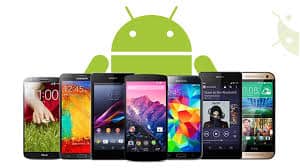
Fourth, Multi-tasking is a great feature that makes Android more wonderful than iOS. Well, you can argue iOS does multi-tasking, but that can be comparable to what Android offer. On Android phone, multi-tasking gets high-level that allows you to view multiple apps at once.
5 reason why iOS can’t compete with Android in OS battle
Last but not least, Android is dominating smartphone OS thanks to more free apps and games. Of course, iOS have many interesting apps, but you can’t refuse that Android apps are more various. For example, Pokemon Go is a hit game at present but it is supported only on Android OS. Especially, almost Android games and apps free to download. Some the same apps that carried a price tag on iOS are free on Android. Sp, what about another reason? Please share your opinion.
You May Like
-
Best Nokia Phones October 2025: 18GB RAM, 200MP Cameras!
-
Best Nokia Phones August 2025: 16GB RAM, 8800mAh Battery!
-
Best Smartphones Of 2025: 200MP Cameras, 16GB RAM!
-
Best compact phones 2025: 12GB RAM, 50MP Cameras!
-
Top Chinese Phones July 2025: 50MP Cameras, 6000mAh Battery!
-
Best smartphone launches of the week: 12GB RAM, 5000mAh Battery!
Troubleshooting Android Marshmallow problems
Google began rolling out updates to Android 6.0 Marshmallow for several months. It seems this updated version also has some problems, so troubleshooting Android Marshmallow is necessary.
Some common Android Marshmallow problems
Firstly, a drained battery is because of Marshmallow Wifi. Such Android Marshmallow problem sounds like a case of the boy who called wolf. Some one will be confused how Wifi impacts the battery but it truly happens to some users. If you are having such trouble, just go to Settings > Location > Scanning for disabling Wi-Fi scanning. More interesting, it can be scanning in the background when you do not have access to Wi-Fi or just simply go to Settings > Location > Mode and trigger Battery Saving mode.
Secondly, it is the connectivity issues. That is to say the Android Marshmallow takes place when you can not get Wi-Fi connectivity. Primarily, try toggling Airplane Mode on and off. If that doesn’t work, turn off Wi-Fi, restart your phone and turn the Wi-Fi on. Then, forget the connection and reconnect to it. Finally, go to Settings > Backup and reset > Network settings reset.
Thirdly is the stability of an update in the early days. If you find that your version of Marshmallow performs unstably, such as: app crashes, strange behavior. Then just simply turning your phone off for a minute the restarting process might fix the issue. On the other hand, you can try to identify the issue, which may be because of an app related. You can boot your phone into the safe mode. Since safe mode disables all apps you’ve installed, but the broken apps will function normally. Then, you need to uninstall such apps.
There are more Android Marshmallow problems
Coming up next is the charging problems. Despite Android Marshmallow’s new USB charging standards, the problems seem to occur frequently. There are some devices that drain faster than they charge to phones and some users realize that they won’t charge at all. Google’s official solution is a factory reset. Finally, this Android Marshmallow common problem can not be forgot – mobile data problem. To solve it, try toggling airplane mode on and off. If this still doesn’t work, turn your phone off for a minute and then restart it. These are not all the Android Marshmallow problems. In such cases, if you follow every steps but it still does not work, contact your carrier is the only hope.
You May Like
-
Best Nokia Phones October 2025: 18GB RAM, 200MP Cameras!
-
Best Nokia Phones August 2025: 16GB RAM, 8800mAh Battery!
-
Best Smartphones Of 2025: 200MP Cameras, 16GB RAM!
-
Best compact phones 2025: 12GB RAM, 50MP Cameras!
-
Top Chinese Phones July 2025: 50MP Cameras, 6000mAh Battery!
-
Best smartphone launches of the week: 12GB RAM, 5000mAh Battery!


