Tag: Android
4 things I hate about Android smartphones
Android smartphones are no doubt the King in today’s mobile industry with remarkable shares in the global markets, far ahead of iOS, Windows and other OS. Popular as they are, there are still certain things that Android users hate about this
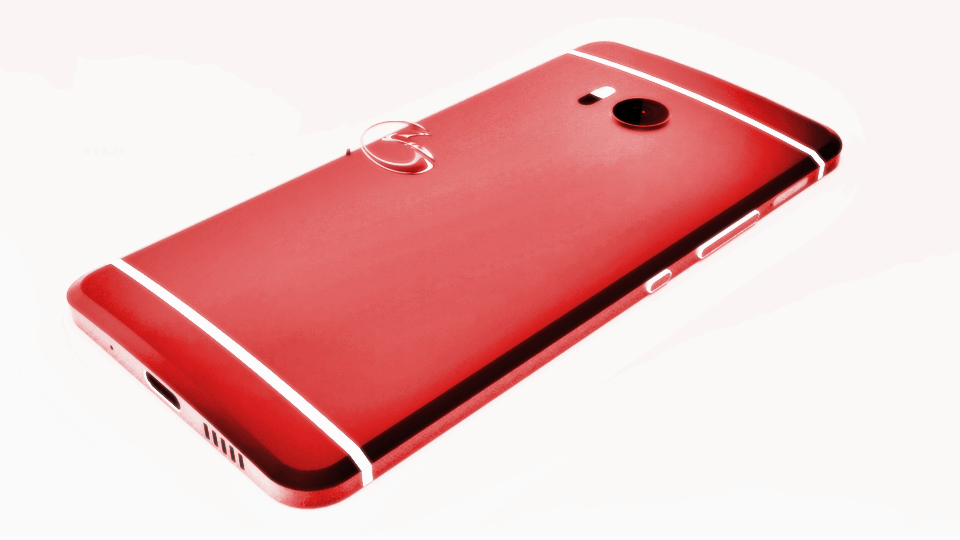
1. Freezing/Force Close
I bet each and every Android user out there know this feel and hate it lots. Mnay Android smartphones decrease their performance remarkably after months of usage ( or a year if you buy a very good machine). When the performance is no longer at its peak, Android easily gets constant freezing, which leads to the experience of “Force Close”
This means whenever an app freezes or refuses to respond, Android users have to choose the action “force close” to end the it, otherwise you would be hanging and waiting for like forever. Unfortunately, this is not at all a rare incident. Some tech reviewer even joked that, Android OS feels like a smartphone version of Windows Vista: always freezing, always crashing.
You May Like
-
 Best Nokia Phones October 2025: 18GB RAM, 200MP Cameras!
-
 Best Nokia Phones August 2025: 16GB RAM, 8800mAh Battery!
-
 Best Smartphones Of 2025: 200MP Cameras, 16GB RAM!
-
Best compact phones 2025: 12GB RAM, 50MP Cameras!
-
Top Chinese Phones July 2025: 50MP Cameras, 6000mAh Battery!
-
Best smartphone launches of the week: 12GB RAM, 5000mAh Battery!
So this is what happened before Android smartphones we know today
Android smartphones particularly, or smartphones in general, is a big part of our daily life nowadays. But what happened back then before the smarpthone era? These facts will give you either nostalgia or great surprise
Phone battery used to last for weeks
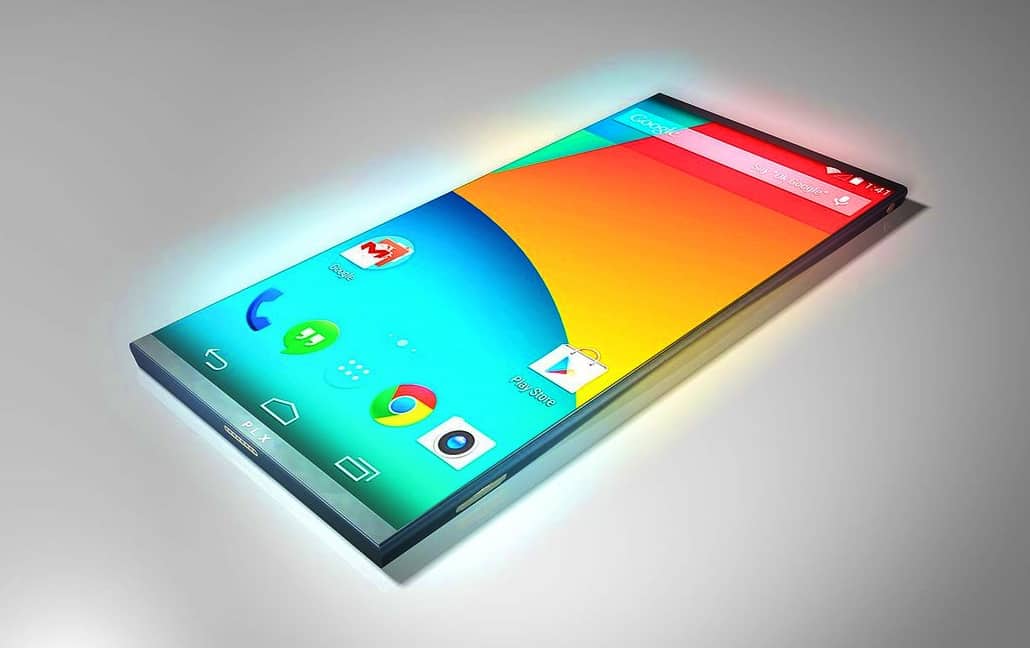
Believe it or not, smartphone battery is one of the most popular problems found among Android users nowadays. And back before Android smartphone era, people never had to worry about their power cell. Although the capacity used to be very small, like sub 1000 mAH, a feature phone can last up to days, or even weeks if you don’t use much besides calling and texting. (And you also don’t have much to do on these phones besides calling and texting either).
Time is changing our world quite considerably. And Android smartphones we know today, with hundreds of cool apps and features, is a gadget many of us can not leave without. A smartphone is not just a calling machine, yet a flashlight, music player, camera, calculator, note pad and so on. Therefore, we use it almost in every minute and the battery is drained out faster than ever. This also explains why, back in 10 years ago, no one would ever think of the production of the so-called powerbank we are all now familiar with.

You May Like
-
Best Nokia Phones October 2025: 18GB RAM, 200MP Cameras!
-
Best Nokia Phones August 2025: 16GB RAM, 8800mAh Battery!
-
Best Smartphones Of 2025: 200MP Cameras, 16GB RAM!
-
Best compact phones 2025: 12GB RAM, 50MP Cameras!
-
Top Chinese Phones July 2025: 50MP Cameras, 6000mAh Battery!
-
Best smartphone launches of the week: 12GB RAM, 5000mAh Battery!
How to save money on your mobile data
Mobile data is absolutely money consuming. It is always wise to watch a Youtube video using Wifi rather than the expensive wireless service. This article will provide you with the solution for limiting your mobile data usage.
How to know your mobile data consuming?
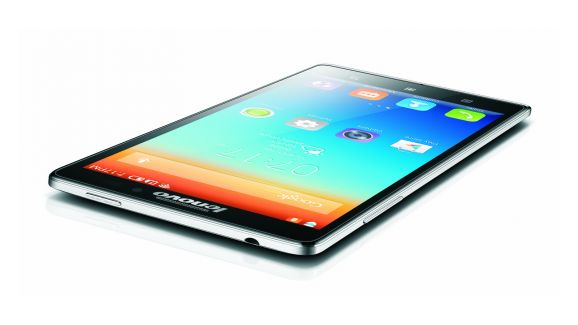
Whether you have an iPhone or Android smartphone, there are a number of steps you can take to check how much data that you have used. Just go to Settings > Cellular then scroll down to see precise numbers of how much data each one of your apps has consumed. Firstly, it is not time-consuming to consider which app will worth using mobile data. One more tip, remember to reset the data rundown regularly or the information will not be fresh. It may be helpful to set an alert at the beginning to put yourselves into a notice of how much you’re being charged. All you need to do is just scrolling down to the bottom of the Cellular screen and hit Reset Statistics.
When mobile date seems luxurious for your Internet surfing, WiFi will be your priority. Secondly, Wifi using whenever and wherever possible. However, be careful with your personal accounts because not all the Wifi networks are safe enough for you to make transactions. Moreover, it would be better to frequently go through all your apps and service to make sure there is no app that is left with unwanted mobile date usage. For an iPhone, you can easily toggle button off. But it is likely hard for an Android one, you need to use a third-party app to control such mobile data usage.

Thirdly, it is obviously save the mobile data by using Wifi for app updating. There are different steps for iOS and Android. Go to Settings > iTunes & App Store > Use Cellular Data and turn off the Use Cellular Data option as for iOS users. Meanwhile the Android owners can go to the Google Play store and hit Menu > Settings > Auto-update apps and select the “Auto-update apps over Wi-Fi only” option.
You may not know….
Finally, the background data not only drains your battery but also uses your mobile data up. Background Data is used to process and sync apps even automatically update them. The thing is you can manually do it without Background Data. As for iOS, go to Settings > General > Background App Refresh and toggle the button to off. Likewise, go to Settings > Wireless & Networks > Data usage, then tap on individual app icons to adjust background data usage options.
You May Like
-
Best Nokia Phones October 2025: 18GB RAM, 200MP Cameras!
-
Best Nokia Phones August 2025: 16GB RAM, 8800mAh Battery!
-
Best Smartphones Of 2025: 200MP Cameras, 16GB RAM!
-
Best compact phones 2025: 12GB RAM, 50MP Cameras!
-
Top Chinese Phones July 2025: 50MP Cameras, 6000mAh Battery!
-
Best smartphone launches of the week: 12GB RAM, 5000mAh Battery!
5 of the most awaited smartphones of H2 2016
These most awaited smartphones arrive right on time in the tech world to satisfy desire for high-end devices. You may wish handling these beasts to experience the premium feeling.
1. Samsung Galaxy Note 7
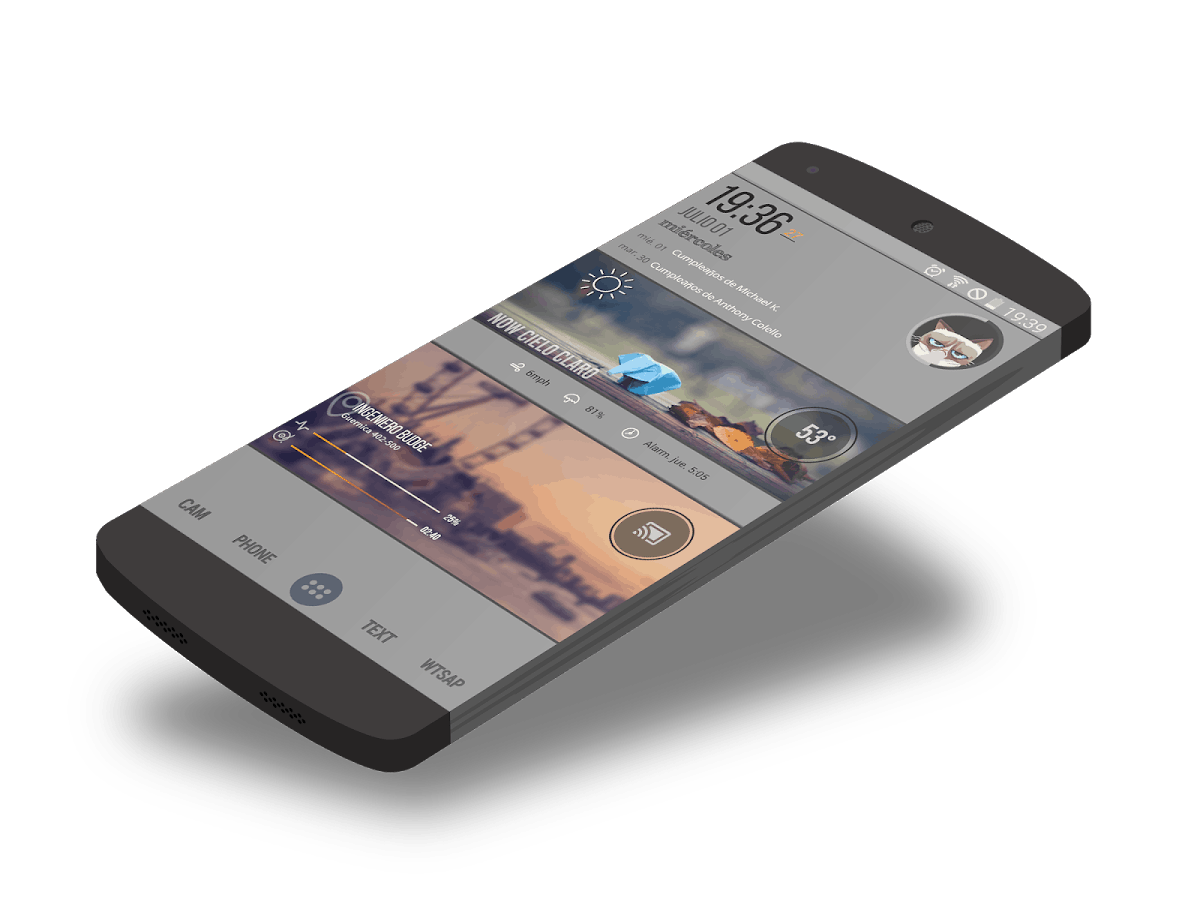
Samsung Galaxy Note 7 may be the most awaited smartphone ever. Having a look around the Internet, there are tons of news talking about this upcoming Samsung smartphone. Believe or not Galaxy Note 7 release date will be nearly the Mobile World Congress next year. So if you want to have this high-range device, it is necessary to save your money from now.
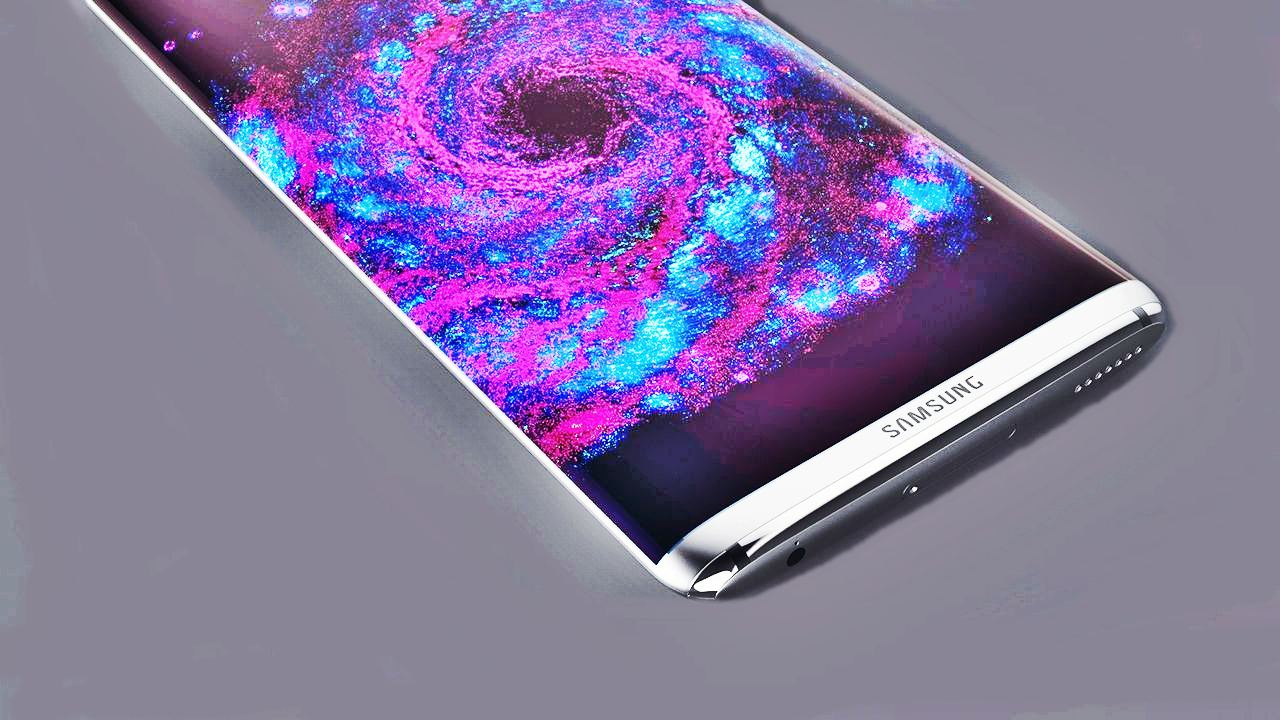
It is leaked that Galaxy Note 7 design will be similar to the Galaxy S7 series with a curved edge. This Samsung smartphone will come with a stylus and variant colors. It is also said that Samsung Galaxy Note 7 specs are intended to have Android N out of the box and a massive 5.7-inch display, which is nearly a phablet screen size. The device will properly come with high-end features including 6GB of RAM, a powerful Snapdragon 823 or Exynos 8890 processor and 4000 mAh battery. Samsung Galaxy Note 7 price may be around $800 for its debut.
You May Like
-
Best Nokia Phones October 2025: 18GB RAM, 200MP Cameras!
-
Best Nokia Phones August 2025: 16GB RAM, 8800mAh Battery!
-
Best Smartphones Of 2025: 200MP Cameras, 16GB RAM!
-
Best compact phones 2025: 12GB RAM, 50MP Cameras!
-
Top Chinese Phones July 2025: 50MP Cameras, 6000mAh Battery!
-
Best smartphone launches of the week: 12GB RAM, 5000mAh Battery!
First Nokia P1 Press render appears – Nokia Android smartphone
2 months ago, in May 2016, Nokia officially confirmed their comeback this year. For now, in early July 2016, the very first Android-powered Nokia P1 press render leaked over the internet.
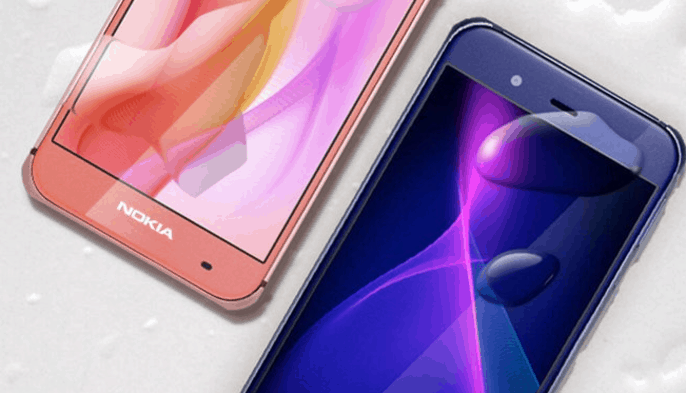
Nokia P1 press render: first view of the beast
Over the past few months, we have been guessing whether the first Nokia smartphone will be Nokia E1 or Nokia A1. However, seems like recent leaks are suggesting a different model – namely Nokia P1. In case you are wondering, this latest Nokia mobile will be an Android smartphone. According to our source, the device is made and developed by engineers at InFocus/Sharp. It explains why this Nokia P1 press render looks very similar to Sharp Aquos P1.
According to contract with Microsoft, Nokia can not produce a smartphone until Q3 of 2016, which is right now. And the company later sign a contract with Foxconn (who is right now the owner of InFocus/Sharp), who will take part in the manufacture process on the behalf of Nokia. Now that we break down all the information about Nokia’s deals, it all suddenly makes sense about the decision of the company.
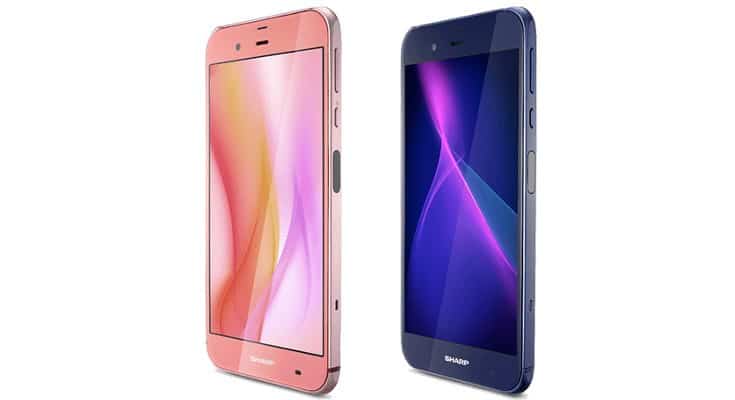
Besides the only Nokia P1 press render image, we have spotted no official specs of the smartphone thus far. However, experts are suggesting that, Android Nokia P1 could be another variant of Sharp Aquos P1 to launch this year. For your interest, Sharp Aquos P1 specs include: 3GB RAM, SND 820 processor, a 5.3 inch FHD display and 32GB of ROM which can be expandable. For camera, the Aquos P1 sports 22.6MP on the back, but we hope Nokia P1 will have “Pureview” on it. There is a 3,000 mAH battery to power the handset as well as IP58 dust-proof and water resistant technology.
Nokia P1 press render: price and availability
Design-wise, Nokia P1 will be available in blue and salmon. Though there is no confirmation about the P1 pricing and availability yet, we predict this Nokia P1 will cost around USD 300, basing on the specs it offers. How does it make you feel, now that we have our first view of such long-awaited beast?
You May Like
-
Best Nokia Phones October 2025: 18GB RAM, 200MP Cameras!
-
Best Nokia Phones August 2025: 16GB RAM, 8800mAh Battery!
-
Best Smartphones Of 2025: 200MP Cameras, 16GB RAM!
-
Best compact phones 2025: 12GB RAM, 50MP Cameras!
-
Top Chinese Phones July 2025: 50MP Cameras, 6000mAh Battery!
-
Best smartphone launches of the week: 12GB RAM, 5000mAh Battery!
6 simple tips to turn you into Android expert
Nowadays, almost all of us are using a smartphone, to say the least. However, not all of us really know how to use it like a pro. Below are 6 things we spotted that Android experts are doing differently from the rest.

1. Android experts always back up their files
Have you ever been in an situation when your phone get restarted and you suddenly loose every media file, be it photos, videos or contact list and useful notes? Do you know anyone who has to send themselves emails just to keep an image they like, or an important link from disappearing? Do you have to turn to Facebook as a storage for the pictures you take with your smartphone? Well, there is another way that is much faster, more effective and professional.
What we learned from many Android experts, through their stories over the internet is that, they all take advantage of an Android app called Pushbullet – for free. The tip is, install the app on both your smartphone and PC desktop to see how easy it can be to link and keep track of whatever activity you are doing. Pushbullet helps you manage your account, whether it is sending and SMS, chatting on WhatsApp or sharing links and media files between your 2 devices.
You May Like
-
Best Nokia Phones October 2025: 18GB RAM, 200MP Cameras!
-
Best Nokia Phones August 2025: 16GB RAM, 8800mAh Battery!
-
Best Smartphones Of 2025: 200MP Cameras, 16GB RAM!
-
Best compact phones 2025: 12GB RAM, 50MP Cameras!
-
Top Chinese Phones July 2025: 50MP Cameras, 6000mAh Battery!
-
Best smartphone launches of the week: 12GB RAM, 5000mAh Battery!
So this is the Android Nokia smartphone we have been expecting!
Rumors about the upcoming Android Nokia smartphone have been making us both excited and curious about the legendary Nokia comeback, said to happen at the end of this year. As July is coming, here we got a very realistic idea of how the smartphone would look…
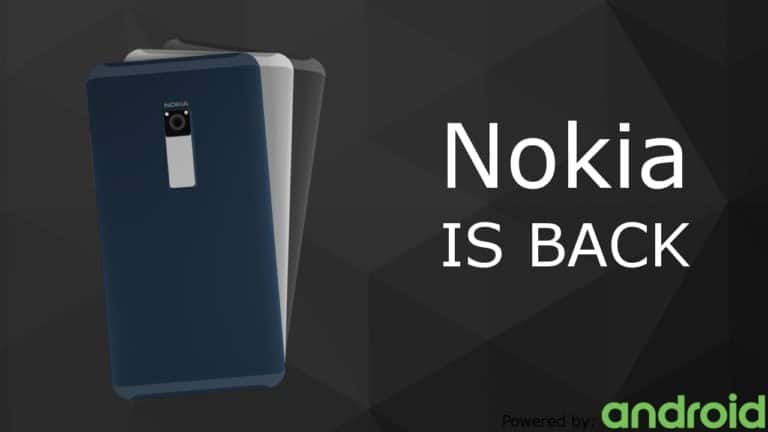
Android Nokia smartphone: this is what we have been waiting for
Talking about the first Android Nokia smartphone to mark the greatest comeback ever, who doesn’t fancy an elegant metal unibody device? As the year end is coming closer and closer, we have spotted different possible render designs for the first Nokia phone. And among them, this latest one by Delta looks like the most realistic on that can easily go straight to mass production. The render design we are mentioning here also comes with a video to show you all the best angles .
Talking about this latest Android Nokia smartphone specs, the machine sports a handy 5 inch QHD display. As you may see very clearly, it comes in a metal unibody case with a special Nokia touch on the back, right under the camera module. This scanner is capable of adjusting the volume, zooming the display, changing music and so on. There are also premium speakers located on the handset for extraordinary music experience. Another interesting feature we can look forward from this Android Nokia smartphone is that, its corners are reinforced against drops and can absorb up to 80% of impact. This makes sure your phone is protected in dangerous situations and offers a longer lifespan.
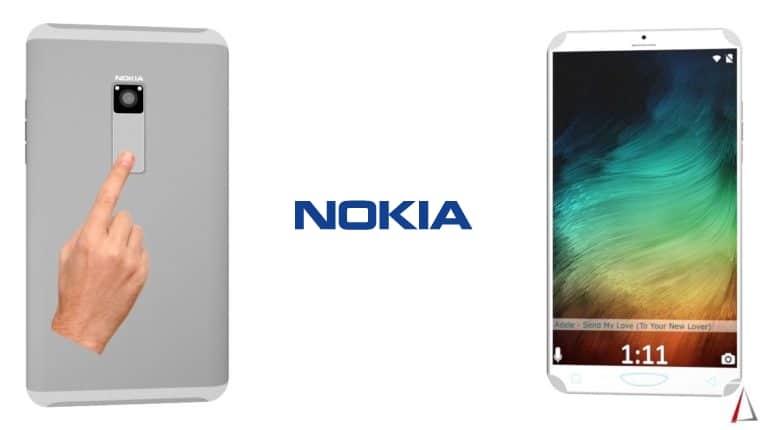
In case you are still overwhelmed with the whole thing, Nokia will only involve in the very first stages of producing the upcoming mobile. The Finnish company will take care of the design, branding and licensing. Then Foxconn, their chosen partner, will actually conduct the making of the smartphone. Also in this render design, we see a 21MP camera on the back with OIS. However, it doesn’t mention whether the shooter will be equipped with Pureview resolution or not.
Android Nokia smartphone 2016: time to get even more excited!
Some says the design slightly reminds them of that from a Samsung Galaxy S6 mixed with Meizu Pro 6. However, from what we see, the phone does look really good and has all it takes to make us even more excited about Nokia comeback. If the first Android Nokia smartphone looks exactly like this, would you grab one for yourself? (Source)
http://www.concept-phones.com/nokia/nokia-android-concept-features-touch-area-metal-body-video/
You May Like
-
Best Nokia Phones October 2025: 18GB RAM, 200MP Cameras!
-
Best Nokia Phones August 2025: 16GB RAM, 8800mAh Battery!
-
Best Smartphones Of 2025: 200MP Cameras, 16GB RAM!
-
Best compact phones 2025: 12GB RAM, 50MP Cameras!
-
Top Chinese Phones July 2025: 50MP Cameras, 6000mAh Battery!
-
Best smartphone launches of the week: 12GB RAM, 5000mAh Battery!
Android Nougat: official name of Android N
Are you ready for the newest version of Android ? Because this OS will come in this summer with the name Android Nougat. Together with this new Android is the next generation of Nexus brand.
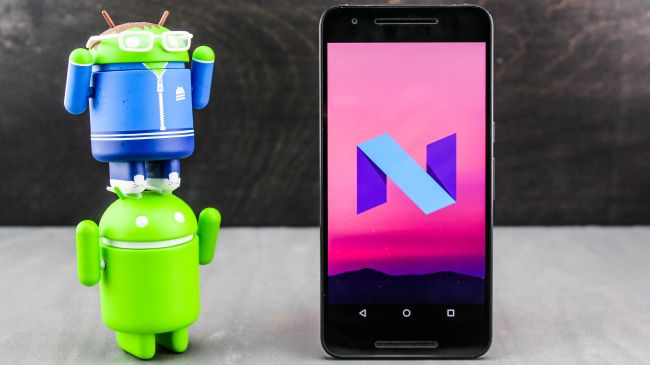
Android N is officially called Android Nougat
And you can download this newest version to try on this summer. Because the Android Nougat release date is officially on Q3, 2016. At the same time, you’ll be able to see the next generation of Nexus brand. As the new Nexus smartphone always comes with the new Android version. Nexus 2016 will be launch earlier than usual. The previous Nexus handsets usually show up from the end of September to the end of October.
With its new product, Google brings a lot of features to it. We can name some like an improved split screen multitasking, an improved notification shade, direct reply notifications, new quick settings menu, Doze mode 2.0, bundle notifications, etc. So, can this new OS be Android 7.0. We still haven’t been sure about that. This US company sometimes chooses the different names for the updates of one OS. In the Android 4, the company has 4.0 Ice Cream Sandwich, 4.1 Jelly Bean, and 4.4 KitKat.
Android Nougat: which phone will feature it?
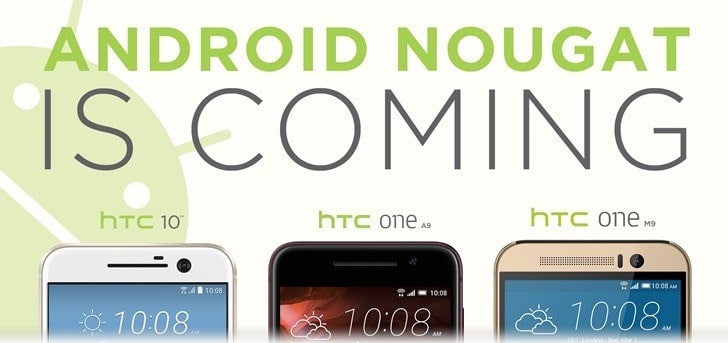
” Can my phone get this new update?”, you may have this question in your mind. And if you own a recent flagship smartphone which is less than 2 years, the answer is yes. However, you may have to wait for a while. Like the Marshmallow version, many phones still don’t have this update. HTC has promised to bring this Nougat to its HTC 10, One A9 and One M9. However, there is no detailed time. So, if you can’t wait, you can buy a Nexus phone. It’s always the first phone to feature the newest Android.
You May Like
-
Best Nokia Phones October 2025: 18GB RAM, 200MP Cameras!
-
Best Nokia Phones August 2025: 16GB RAM, 8800mAh Battery!
-
Best Smartphones Of 2025: 200MP Cameras, 16GB RAM!
-
Best compact phones 2025: 12GB RAM, 50MP Cameras!
-
Top Chinese Phones July 2025: 50MP Cameras, 6000mAh Battery!
-
Best smartphone launches of the week: 12GB RAM, 5000mAh Battery!
5 annoying problems on your smartphones
Even though your phones may be called “smartphones”, some times they shows their stupid errors which are time-consuming. So here are some annoying problems along with solutions for your reference.
1. Inactive proximity sensor
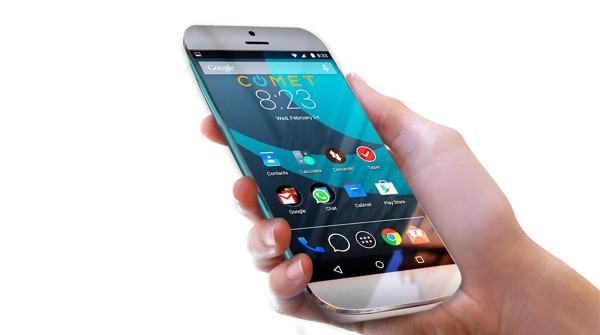
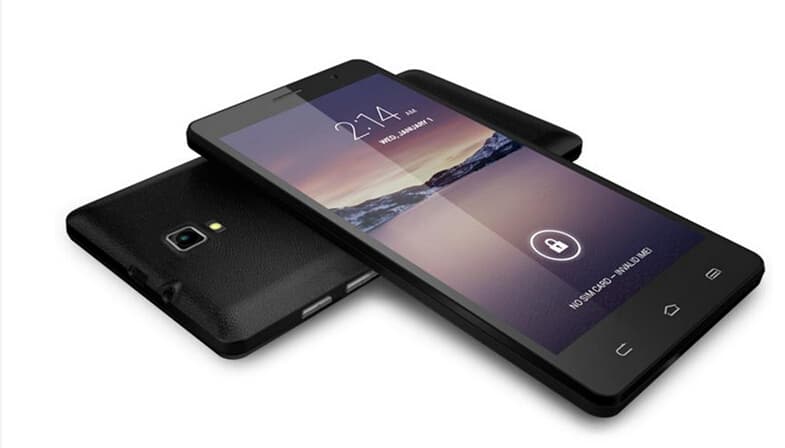
You may not notice the yellow point located next to the primary camera on the rear or you wonder what it is. It is proximity sensor which is able to turn screen off when you start answering the phone calls. We all know that while we are talking with the phone, the screen actually functions. This feature is offered to avoid performing incorrect actions while calling and save the battery power.
When your proximity sensor does not work, automatic screen off is not allowed. Putting your fingers on the sensor is the easiest way to check this function. Do not worry! Here is the solution for this annoying problem. Primarily, you have to copy your database and have a backup one and reset your smartphone. Then, check your phone again. If it does not return to normal, you have to bring it to the agency.
You May Like
-
Best Nokia Phones October 2025: 18GB RAM, 200MP Cameras!
-
Best Nokia Phones August 2025: 16GB RAM, 8800mAh Battery!
-
Best Smartphones Of 2025: 200MP Cameras, 16GB RAM!
-
Best compact phones 2025: 12GB RAM, 50MP Cameras!
-
Top Chinese Phones July 2025: 50MP Cameras, 6000mAh Battery!
-
Best smartphone launches of the week: 12GB RAM, 5000mAh Battery!
Google smartphone is coming to take back the control
Google smartphone is coming. It’s gonna be the total package of this US company from manufacturing to selling. With this new phone, Google is expected to take more control of the Android smartphone, like Samsung and its product.
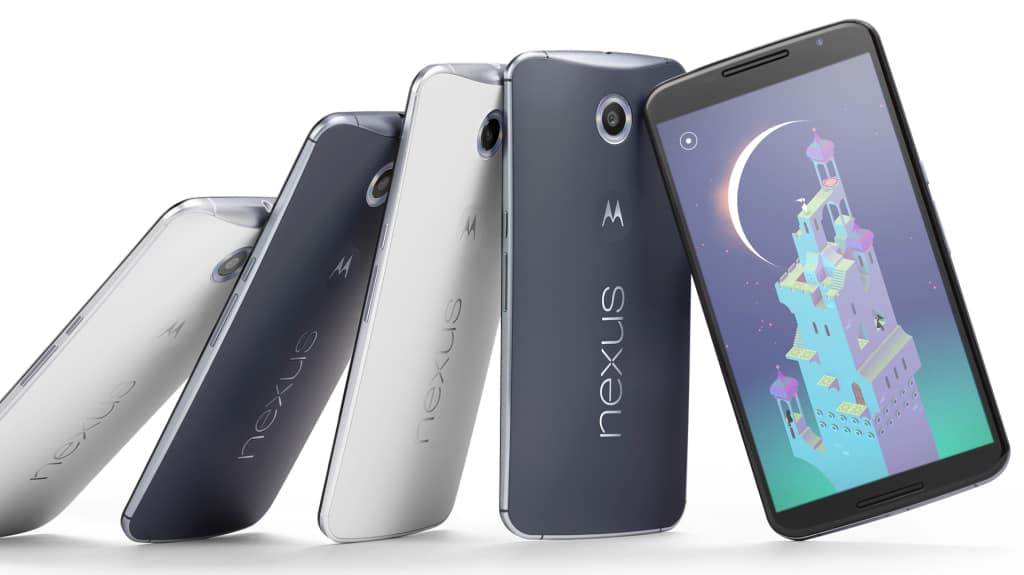
Google smartphone: way to take back the control
According to some reports, Google is about to launch its own smartphone this year. And this smartphone is nothing like the Nexus brand. Nexus smartphone is the combination of Google and the other smartphone OEMs. Google will be in charge of the design, development, marketing. While its partners will take care of some development and the whole manufacturing process. There’ve been many products from this brand like Nexus 9 (HTC), Nexus 5X (LG), or Nexus 6 (Motorola Mobility).
This time, Google will build the smartphone itself. The US company will be responsible for every stage of the product. That means that the upgraded software in the device will be faster than the other Android smartphones in the market. Because the company doesn’t need to ask for the manufacturer’s approval before the updates are available for the users to download and install. There’s been just about 10% Android users using the Marshmallow OS since it was released last year because of this waiting period.
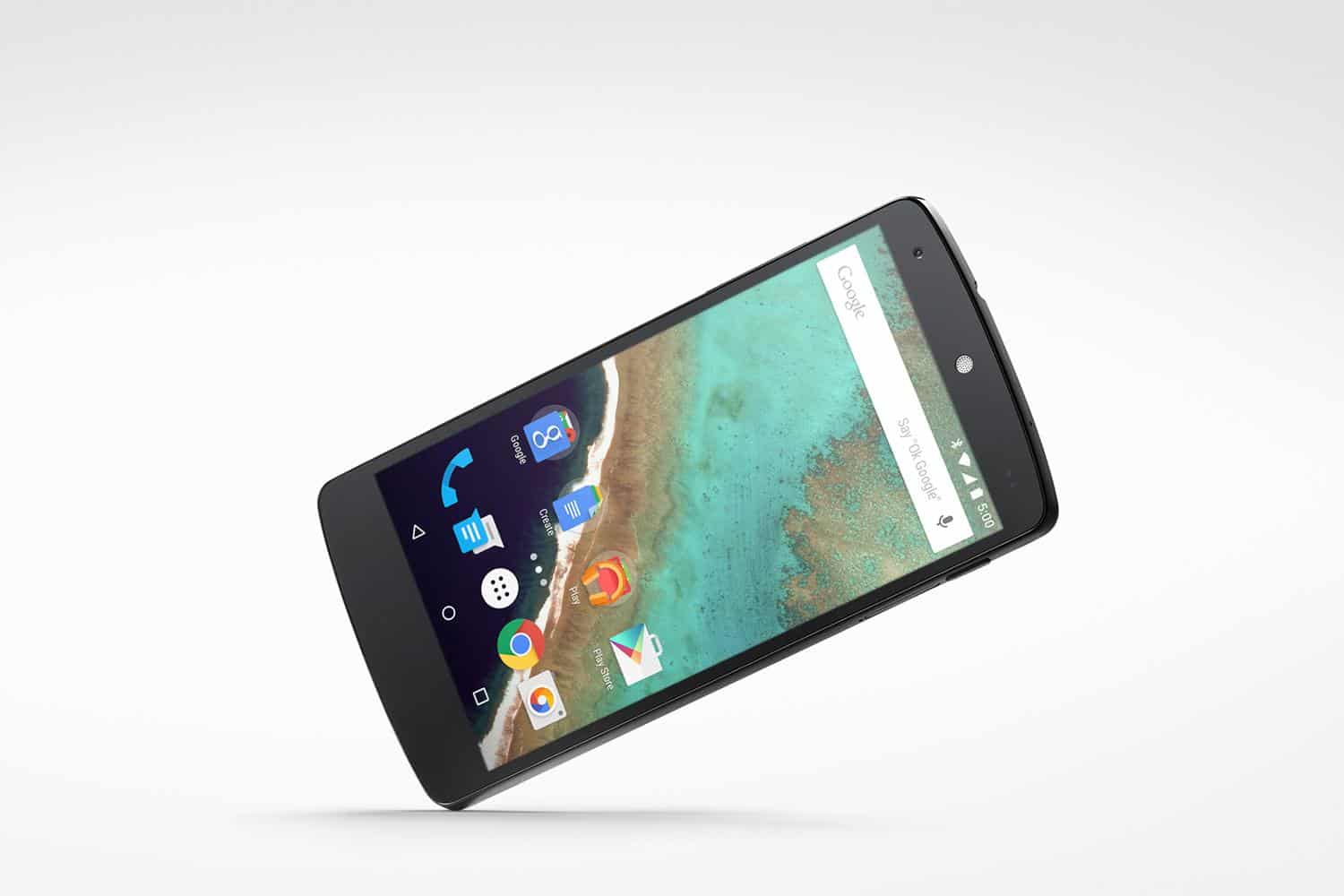
With Google smartphone, the searching giant will take back its full control of UX like the way Apple does with iPhone. Google is the developer of Android, which is used by almost 80% smartphone OEMs in the world. And now, those manufacturers want to push Google down by adding their own OS on top of Android. Maybe it’s time for this giant to get back what belongs to it. It’s believed that Google smartphone launch will be later this year.
The other smartphone OEMs look for their own ways
You May Like
-
Best Nokia Phones October 2025: 18GB RAM, 200MP Cameras!
-
Best Nokia Phones August 2025: 16GB RAM, 8800mAh Battery!
-
Best Smartphones Of 2025: 200MP Cameras, 16GB RAM!
-
Best compact phones 2025: 12GB RAM, 50MP Cameras!
-
Top Chinese Phones July 2025: 50MP Cameras, 6000mAh Battery!
-
Best smartphone launches of the week: 12GB RAM, 5000mAh Battery!
Free Android games for 2016: top best 7
There’re tons of Android games in the app stores at this time. However, they’re always for free, especially the great games. So if you’re looking for the best free Android games, you come to the right place. We’re bringing you the best free Android games.

1+2. Shadowgun: DeadZone + Modern Combat 5: Blackout
Two first free Android games in our list are the shooting games. Shadowgun: DeadZone is an online FPS game. With this app, you can play with 12 others players. In this game, you have 2 game options: Deathmatch and Zone Control. You can choose which map you want to have a battle, and which character you want to play in. If you want to shoot someone online, an epic battle of 12 persons is waiting for you.
If DeadZone is not your taste, you can choose Modern Combat 5: Blackout. If you want to play with the others players, you can pick online multiplayer mode. Otherwise, a campaign mode is an appropriate choice. There’re 6 classes for you to choose. You can also customize your controls. This game used to be a paid game. After that, the developer did many kinds of stuff and turned it into one of the best free Android games.

You May Like
-
Best Nokia Phones October 2025: 18GB RAM, 200MP Cameras!
-
Best Nokia Phones August 2025: 16GB RAM, 8800mAh Battery!
-
Best Smartphones Of 2025: 200MP Cameras, 16GB RAM!
-
Best compact phones 2025: 12GB RAM, 50MP Cameras!
-
Top Chinese Phones July 2025: 50MP Cameras, 6000mAh Battery!
-
Best smartphone launches of the week: 12GB RAM, 5000mAh Battery!
5 Tips To Speed Up Android Phones
One drawback of Android phones is that they sometimes encounter lags. If you happen to own an Android phone and have to deal with the same problem, here are 5 helpful tips to speed up Android phones.

Speed Up Android Phones: Take care of your apps!
To speed up Android phones, the first thing you have to do is keep your apps updated. Not only some important apps but all the apps you’ve installed on your phone. If your phone doesn’t support automatic updates, you should check for the updates manually and frequently. Some of your apps are laggy because they are outdated. Getting the newest version can solve that problem.. And don’t forget to check for the system updates in the “About phone” option. However, you shouldn’t update by 3G or 4G because it will cost you a fortune!
Second, to speed up Android phones, you need to remove or disable unnecessary apps. After using a phone for a long time, you may store up too many apps. And usually, those apps slow down the performance. You may hesitate to uninstall them, saying that you will use them at some point, but trust me, you won’t! So if there is any app you haven’t used for more than a month, go ahead remove it! Also, you should disable some unnecessary apps running in the background to minimize the lagging issue.
Besides, you had better clean up your home screen. This is a good way to speed up Android phones. Home screen widgets are great, but many of them consume lots of RAMs and even some of them are not necessary. So if you find your phone too sluggish, you should try removing abundant widgets on your home screen and see the result!
Speed Up Android Phones: Power saving mode and full factory reset
Power saving mode is very helpful sometimes. However, you should know that this mode slows down the performance, as it reduces the clock speed of your processor and the display rate. Hence, you should use the power saving mode only when necessary. And finally, when you have tried all of the tips below and your phone still performs badly, consider the full factory reset. This function will speed up Android phones by removing all of your data in the internal storage and returning your phone to the beginning. But before you resort to this method, remember to backup all of your important data in advanced.
You May Like
-
Best Nokia Phones October 2025: 18GB RAM, 200MP Cameras!
-
Best Nokia Phones August 2025: 16GB RAM, 8800mAh Battery!
-
Best Smartphones Of 2025: 200MP Cameras, 16GB RAM!
-
Best compact phones 2025: 12GB RAM, 50MP Cameras!
-
Top Chinese Phones July 2025: 50MP Cameras, 6000mAh Battery!
-
Best smartphone launches of the week: 12GB RAM, 5000mAh Battery!


