Tag: Android
Best Phones under Rs 20000 in India April 2017: 3GB RAM, 16MP
Let us give you a good list of some high-end smartphones you can buy at cheaper prices, we call it the best Phones under Rs 20000 in India for April 2017. Read the full list if you want to know more.
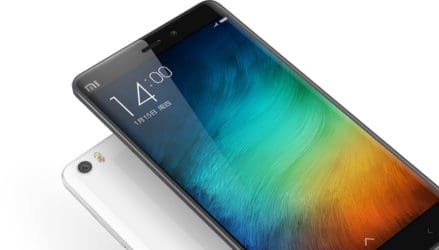
1- Xiaomi Redmi Note 4
The Redmi Note 4 is the first choice of the best Phones under Rs 20000 in India for April 2017, let’s see what the phone gives in terms of specs and features. The Xiaomi Redmi Note 4 specs deliver a 5.5-inch Full HD IPS LCD with a resolution of 1080×1920 pixels.
The device is powered by Qualcomm MSM8953 Snapdragon 625 and Adreno 506 with 3/4 GB RAM. The phone packs 32 and 64GB ROM which is expandable up to 256GB. The Xiaomi Redmi Note 4 cameras pack a 13MP front and a 5MP for selfies. It is powered by a 4100mAh non-removable battery. The Xiaomi Redmi Note 4 price starts from Rs 12,999.
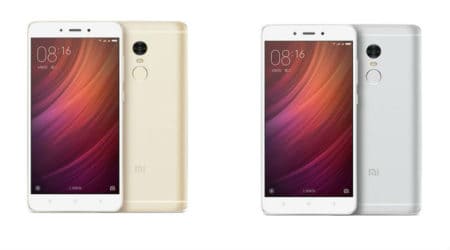
2- Coolpad Cool 1
The Coolpad Cool 1 specs sport a 5.5-inch and a 1080 pixels. It is powered by an Qualcomm Snapdragon 652 with 4GB RAM. You will get a 32GB ROM expandable up to 256GB via micro SD. The Coolpad Cool 1 cameras come with a dual 12+12MP primary on the rear and 8MP front shooter for the selfies. It has a battery power of 4000 mAh battery and runs on Android 6.0. The Coolpad Cool 1 price starts from Rs 12,999. It’s one of the best Phones under Rs 20000 in India for April 2017.
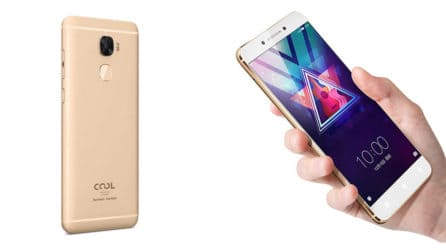
3- Lenovo P2
The Lenovo P2 specs come with a 5.5-inch FHD super AMOLED with 1080×1920 pixels. It offers a battery power of 5100mAh. It is powered by Qualcomm MSM8953 Snapdragon 625 and Adreno 506 with 4GB RAM. It runs on Android 6.0.1 Marshmallow. It packs 64GB (expandable up to 256GB). About Lenovo P2, it is about Rs.14,999. The Lenovo P2 cameras actually pack a 13MP primary on the rear and 5 Megapixel front shooter for selfies.
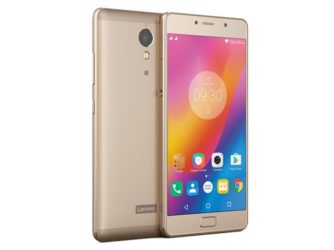
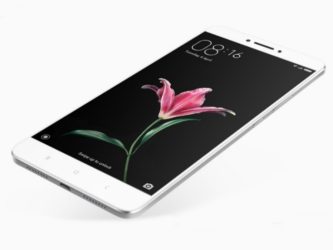
4- Xiaomi Mi Max Prime
The Xiaomi Mi Max Prime specs come with a 6.44-inch display with a 1920 x 1080p resolution. It is powered by The Qualcomm Snapdragon 650 with 4GB RAM. It also offers a 128GB internal storage which can be expanded. The Xiaomi Mi Max Prime cameras come with a 16 MP on the rear and a 5 MP for selfies. It packs 4850mAh non-removable battery and runs on the Android 6.0 Marshmallow. The Xiaomi Mi Max Prime price is Rs 19,990.
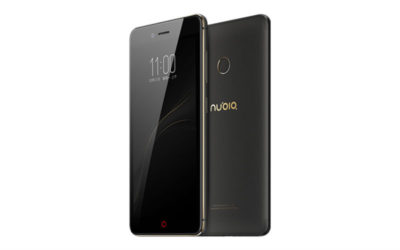
5- Nubia Z11 Mini
The Nubia Z11 Mini specs deliver a 5.0-inch LCD with a resolution of (1080 x 1920 pixels). It is powered by Qualcomm MSM8952 Snapdragon 617 and Adreno 405 with 3GB RAM. The phone come with 32GB ROM (expandable up to 256GB). The Nubia Z11 Mini cameras will sport a 16 MP primary with 8 MP front shooter. It runs on Android 7.0 Nougat with a battery power of 2800mAh non-removable. The Nubia Z11 Mini price is Rs 12,999.
Phones under Rs 20000 in India for April 2017!
We strongly recommend the Xiaomi Mi Max Prime as it offers a 128GB storage that can also be expandable. In this list of Phones under Rs 20000 in India for April 2017, you may also try using the Nubia Z11 as it comes with a cheaper price.
You May Like
-
 Sony Xperia Ultra Max Pro Specs: 200MP Cameras, 19100mAh Battery!
-

-
Nokia Joker 2026 Specs: 200MP Cameras, 9800mAh Battery!
-
Nokia Horizon 2026 Specs: 200MP Cameras, 12800mAh Battery!
-
 Nokia Titan 2026 Specs: 16GB RAM, 9700mAh Battery!
-
Redmi Note 15 Series Goes Global With 200MP Cameras, 6580mAh Battery, Price!
iPhone 8 will Leapfrog Galaxy S8 with This
Let us start by telling you that iPhone 8 will leapfrog all its competitors this year, especially Samsung phones. Apple will need to pack more technology in the next devices to stay on top of the battle.
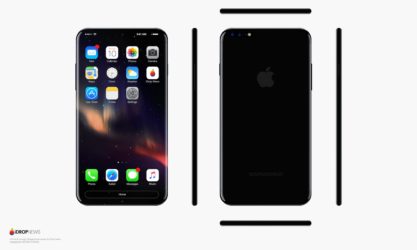
iPhone 8 will Leapfrog the Galaxy S8!
Apple and Samsung have been competing for years now, the war between Apple and other smartphones manufacturer is far from being over. This year it will even get worse as Samsung recently revealed its new Galaxies devices ( the Galaxy S8 and S8 Plus) which really look beautiful and attractive. These two phones the South Korean giant recently presented don’t only come with nice design, but they will also offer some high-end feature that will frighten competitors to compete.
Based on what reports are saying online, it seems that the next iPhone 8 will leapfrog Samsung in order to take control of the smartphones industry. We previously wrote some good news about the iPhone 8 and the 8 Plus that are supposed to launch on Apple 10th Anniversary, but the problem here is that some of the killer features of these devices are still unknown. But we hope to tell you more about Apple next devices when we have more information.
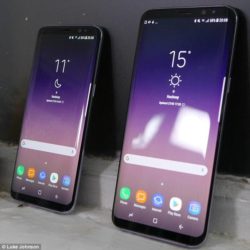
The Samsung Galaxy S8 and its brother are said to come with the AI with Bixby and phone design with its Infinity Display. So Apple has more opportunity to develop more feature for its upcoming flagships if it needs to take the lead. According to Barron’s Asia, Himax Technologies will be supplying 3D sensing components for the iPhone 8. By creating a sense of depth, the device would be able to deliver augmented reality experiences.
The iPhone 8 will Leapfrog the Galaxy S8!
The iPhone 8 and 8 Plus likely will be unveiled in September 2017, and other rumored features to look forward to including wireless charging and an overdue OLED display.
You May Like
-
Sony Xperia Ultra Max Pro Specs: 200MP Cameras, 19100mAh Battery!
-
-
Nokia Joker 2026 Specs: 200MP Cameras, 9800mAh Battery!
-
Nokia Horizon 2026 Specs: 200MP Cameras, 12800mAh Battery!
-
Nokia Titan 2026 Specs: 16GB RAM, 9700mAh Battery!
-
Redmi Note 15 Series Goes Global With 200MP Cameras, 6580mAh Battery, Price!
Nokia 12 vs Galaxy S8: 128GB, 12+9MP cam
Here we come with another battle series that will put the Nokia 12 vs Galaxy S8 to test. In this challenge, you gonna know which one actually matches your style.
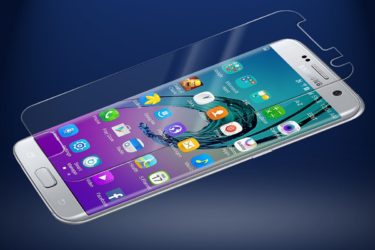
Nokia 12 vs Galaxy S8: specs war?
The Nokia 12 specs deliver a 5″ OLED display screen with Full HD resolution, while the Galaxy S8 specs carry a 5.8-inch Super AMOLED display with 1440×2960 pixels. The Nokia 12 will be powered by a Qualcomm by a Snapdragon 821 processor, and the Galaxy S8 will be offering a Qualcomm MSM8998 Snapdragon 835 and Adreno 540 with 4GB RAM. In this case, we can just say that the Galaxy S8 will be worth it as its specs show it, but let’s continue with other specs to see who will win this battle.
The Nokia 12 will come with an internal storage of 64/128GB (maybe expandable), but we know that the S8 will offer a 64GB and expandable up to 256GB. For the photography, the Nokia 12 cameras will be mounted with a 21MP camera on the back with dual-LED flash. The Galaxy S8 cameras will have 12MP with 9 PM image recording on the rear, and 8MP selfie shooter. We can see that both beasts are equal in terms of cameras, they will all launch with Android 7.0 ( Nougat). The S8 will come with a battery of 3000mAh, while the Nokia battery is not revealed.
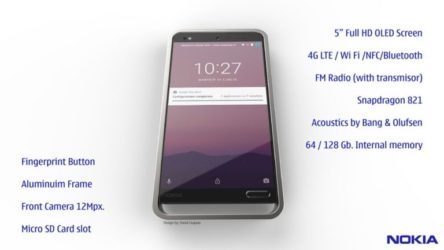
Let’s end this battle by telling you that these devices will offer connectivity options of LTE, Wi-Fi, GPS, Bluetooth, USB OTG, FM, 3G, and 4G. The concept of the Nokia 12 was recently revealed, and we have no idea if it’s gonna soon be available for sale or not. For the Galaxy S8, it is rumored that the phone will go on sale by the end of April 2017, so we will give you more details when these come to market.
Nokia 12 vs Galaxy S8: What to know?
The Nokia 12 design brings back many fond memories of Nokia glorious day, it doesn’t suit the modern world as many people prefer slim phones. What do you think about these 2 beasts of 8GB RAM? let us know.
You May Like
-
Sony Xperia Ultra Max Pro Specs: 200MP Cameras, 19100mAh Battery!
-
-
Nokia Joker 2026 Specs: 200MP Cameras, 9800mAh Battery!
-
Nokia Horizon 2026 Specs: 200MP Cameras, 12800mAh Battery!
-
Nokia Titan 2026 Specs: 16GB RAM, 9700mAh Battery!
-
Redmi Note 15 Series Goes Global With 200MP Cameras, 6580mAh Battery, Price!
10 Best Android Smartphones according to Antutu in Jan: 6GB RAM, 4080mAh batt
According Antutu, the following are the best Android smartphones in January, based on their average scores. We have some new names appearing in the list while there are still some standing on the top positions compared to that list of 2016. Check them out now!

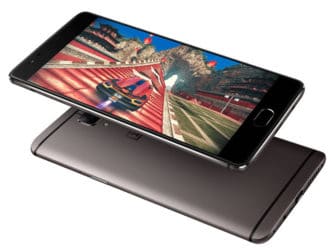
1. OnePlus 3T
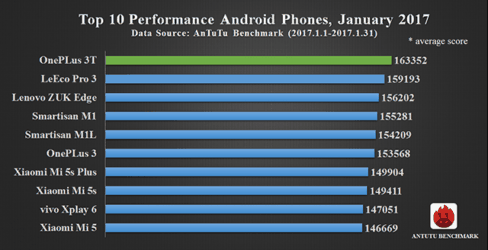
First off, it’s OnePlus 3T. Among hundreds of smartphones, OP 3T was able to show that it was the best Android machine in January with an average Antutu score of 163,352. Congrats, OnePlus team!
To get this result, its powerful hardware plays a very important role. There are many excellent features under the hood to help 3T run smoothly and perform all tasks well such as a package of 16MP secondary + 16MP primary camera, 6GB RAM, 64/128GB of internal storage (non-expandable), and a 5.5-inch Full HD Optic AMOLED screen. Besides, OnePlus 3T specs also include Oxygen OS based on Android 6.0 Marshmallow OS (upgradable to Android 7.0 Nougat), a Snapdragon 821 processor, and a 3,400mAh battery supporting Dash Charge tech. OnePlus 3T price is 2,799 Yuan (or $405) for the 64GB version and 3,299 Yuan ($480) for the 128GB.
2. LeEco Pro 3
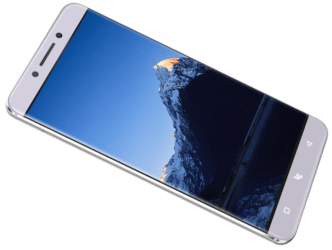
Next in our 10 Best Android Smartphones according to Antutu list is LeEco Pro 3, priced at 1,799 Yuan ($270) for the 4GB RAM + 32GB ROM model, 1,999 Yuan ($299) for the 6GB + 64GB, 2,499 ($375) for the 4GB + 64GB, and 2,999 Yuan ($450) for the 6GB + 128GB. Apart from different ROM and RAM capacity, all variants share the same hardware built with a 5.5-inch Full HD display, eUI 5.8 UI based on Android 6.0 Marshmallow OS, a Snapdragon 821 chip, Dolby Atmos sound tech, a 16MP rear-facing + 8MP front cam combo, and a 4,070mAh cell with Quick Charge 3.0. Those LeEco Pro 3 specs definitely can bring you great experience in using.
3. Lenovo ZUK Edge
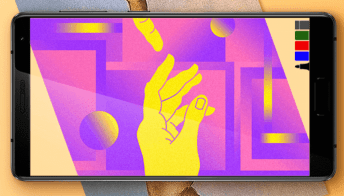
No. 3 is Lenovo ZUK Edge, a beautiful device with strong specifications. There are a Snapdragon 821 chipset, 4/6GB of RAM coupled with 64GB of internal memory (non-expandable), a 5.5-inch Full HD screen, Android 7.0 Nougat OS with ZUI 2.5 on top, and a 3,100mAh battery with Quick Charge 3.0 technology included in Lenovo ZUK Edge specs. About photography, you can use its 13MP main (with f/2.2, PDAF and LED flash) or 8MP selfie (with f/2.2, 1/4″ sensor size and 1.12 µm pixel size) snapper to capture things.
4. Smartisan M1
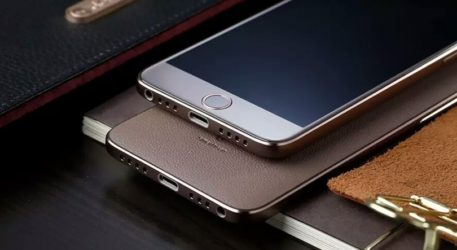
Number 4 goes to Smartisan M1. Spec-wise, it packs a 5.15-inch Full HD JDI display along with a Snapdragon 821 chip set, 4GB of LPDDR4 RAM and 32GB of UFS 2.0 ROM. Not stopping there, Smartisan M1 specs contain a decent 3,050mAh cell supported by Quick Charge 3.0, and a gorgeous 23MP Sony IMX318 rear + 4MP OmniVision front-facing shooter duo. You can do whatever you want with this smart Smartisan M1. All you need to do is pay 2,499 Yuan ($371) and bring it home.
5. Smartisan M1L
Here we’ve got Smartisan M1L, a bigger sibling of the Smartisan M1 in terms of size and some other specs. Specifically, it features a 5.7-inch Quad HD screen produced by Sharp, 4/6GB of LPDDR4 RAM coupled with 32/64GB of UFS 2.0 ROM, a Snapdragon 821 processor, a 4,080mAh batt supporting Quick Charge 3.0, and a 23MP main + 4MP secondary camera combo. Smartisan M1L price is 2,799 Yuan ($415) for the 3GB + 32GB model, 2,999 Yuan ($445) for the 6GB + 64GB, and 3,299 Yuan ($490) for the 6GB + 64GB.

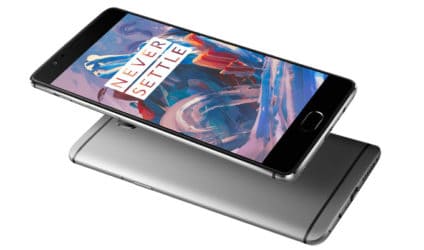
6. OnePlus 3
Okay, here’s the elder bro of our champion in this Best Android Smartphones list: OnePlus 3. Although OP3 cannot be as modern as many other new handsets now, it still can earn lots of respect due to a good combination of strong features and stellar performances. It is thanks to a 5.5-inch Full HD Optic AMOLED display, Android 6.0.1 Marshmallow OS (upgradable to Android 7.1.1 Nougat OS) with Oxygen OS 4.0.2, a Snapdragon 820 chip set, 64GB ROM (non-expandable), 6GB RAM, a 16MP + 8MP camera set, and a 3,000mAh cell with Dash Charge (60% in 30 minutes) on board to run the whole device.
7. Xiaomi Mi5s Plus
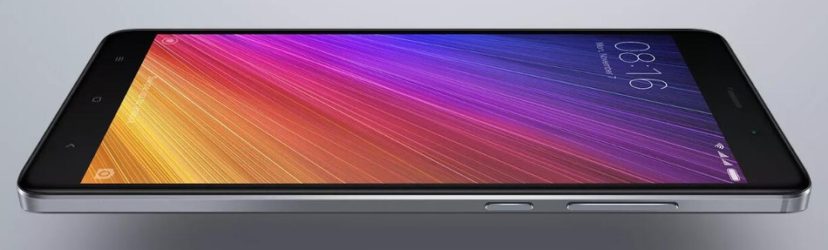
Number 7 and 8 are two flagships from Xiaomi: Mi5s Plus and Mi5s. There seems just a small distance between them, so you don’t have to worry much about their actual strength. First of all, let’s see what we can get from Xiaomi Mi5s Plus specs. It boasts a big 5.7-inch Full HD display, MIUI 8.0 based on Android 6.0 Marshmallow OS, a Snapdragon 821 processor, a dual 13MP camera system on the back, a 4MP sensor on the front surface, and a 3,800mAh battery with Quick Charge 3.0. Additionally, you can choose 64GB ROM + 4GB RAM or 128GB ROM + 6GB RAM Mi5s Plus to be yours.
8. Xiaomi Mi5s
As for Xiaomi Mi5s specs, there are a handier 5.15-inch Full HD screen, 3D Touch tech (but only for 128GB ROM + 4GB RAM version), Android 6.0 Marshmallow OS with MIUI 8.0 on top, a Snapdragon 821 chip, a 12MP rear + 4MP front camera set, and a 3,200mAh batt with Quick Charge 3.0. In case of preferring something more affordable, you can take 64GB ROM + 3GB RAM Xiaomi Mi5s into consideration.

9. Vivo Xplay 6
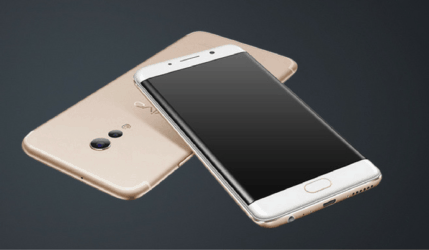
No. 9 of the Best Android Smartphones list is Vivo Xplay 6. It comes with a brilliant screen of 5.46 inches, Quad HD resolution and Super AMOLED display. Under the hood stays a powerful Snapdragon 820 chip set with 6GB of RAM and 128GB of non-expandable ROM, Funtouch OS 3.0 based on Android 6.0.1 Marshmallow OS, and a 4,080mAh battery with fast charging. As for taking photos, Vivo Xplay 6 specs have a dual 12MP f/1.7 + 5MP snapper system on the rear and a 16MP sensor on the front to assist users in capturing everything. Your shots are gonna be marvelous!
10. Xiaomi Mi5
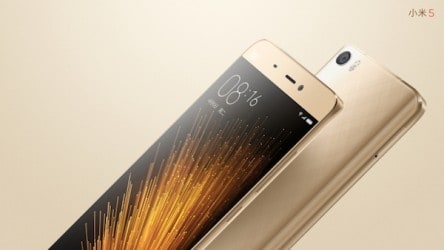
Finally, it is Xiaomi Mi5, the predecessor of the Mi5 and Mi5 Plus. Despite being older than those two successors, Xiaomi Mi5 specs are still very good. It is powered by a Snapdragon 820 chipset, 3/4GB of RAM, 32/64/128GB of ROM (non-expandable), MIUI 7.0 based on Android 6.0 Marshmallow OS, a 16MP main + 4MP secondary camera package, a 3,000mAh battery, Quick Charge 3.0 tech, and a 5.15-inch Full HD display.
So those are 10 Best Android Smartphones in January. If you want to have a summary of how much they scored in the Antutu test, please check the following chart and tell us your feelings and opinions about them.
You May Like
-
Sony Xperia Ultra Max Pro Specs: 200MP Cameras, 19100mAh Battery!
-
-
Nokia Joker 2026 Specs: 200MP Cameras, 9800mAh Battery!
-
Nokia Horizon 2026 Specs: 200MP Cameras, 12800mAh Battery!
-
Nokia Titan 2026 Specs: 16GB RAM, 9700mAh Battery!
-
Redmi Note 15 Series Goes Global With 200MP Cameras, 6580mAh Battery, Price!
10 Best Performance Smartphones according to Antutu in January 2017
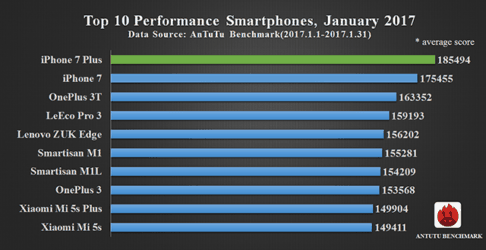
A new AnTuTu report has been announced recently, giving us the names of 10 best performance smartphones in the very first month of 2017. Though, please note that they have been ranked by their average scores, not the highest ones since the actual running results may fluctuate.
1. iPhone 7 Plus
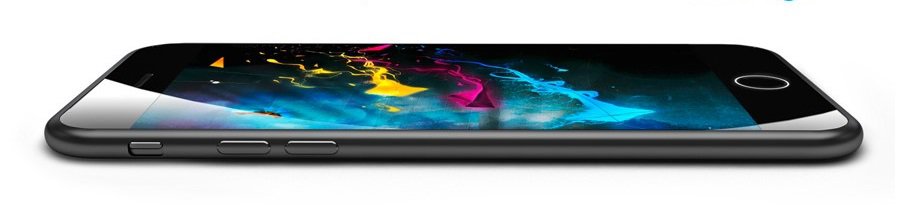
Okay, our first position has gone to iPhone 7 Plus with an average Antutu score of 185,494. Wow, that is very impressive when it could win many other 6GB RAM handsets to be the best device in terms of performance. Well done, iPhone 7 Plus! So, what does it exactly have to do this?
Not much, I have to say. iPhone 7 Plus specs just include a 5.5-inch Full HD LED-backlit IPS LCD screen, 3D Touch tech, IP67 certification for being dust and water resistant, iOS 10.0.1 (upgradable to iOS 10.2), an Apple A10 Fusion processor, 32/128/256GB of ROM (non-expandable), 3GB of RAM, a combo of dual 12MP rear + 7MP front camera, and a 2,900mAh battery. Though, all of them, together, bring users excellent performances, which is one of the most important point, rite?!
2. iPhone 7
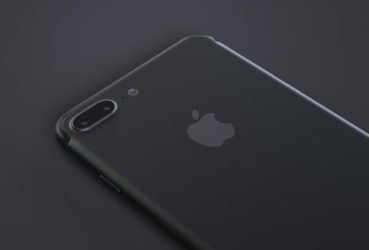
Right after iPhone 7 Plus is iPhone 7 with an average Antutu score of 175,455. You can say that this is the smaller version of the 7 Plus and in fact, it is loved by many people who like using handy machines. Spec-wise, there are a 4.7-inch LED-backlit IPS LCD display with 750 x 1334 pixels, 3D Touch, iOS 10.0.1 (upgradable to iOS 10.2), an Apple A10 Fusion chip, 32/128/256GB of non-expandable ROM, 2GB of RAM, a 12MP main + 7MP selfie cam set, and a 1,960mAh batt on board to run the whole device.
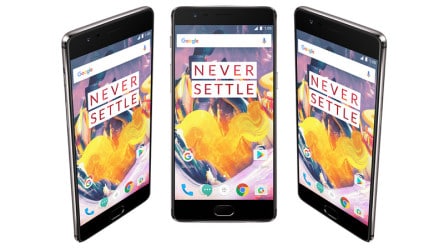
3. OnePlus 3T
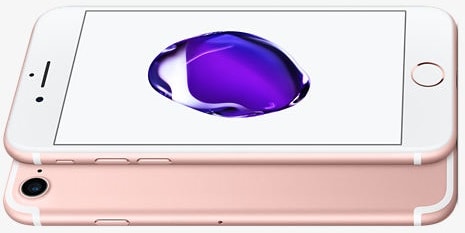
Number 3 is OnePlus 3T with an average Antutu score of 163,352. Well, this shows that OnePlus team was really able to create a super strong smartphone for consumers. Spec-wise, it boasts a package of 16MP secondary + 16MP primary shooter, 6GB RAM, 64/128GB of internal memory (non-expandable), a 5.5-inch Full HD Optic AMOLED screen, Oxygen OS based on Android 6.0 Marshmallow OS (upgradable to Android 7.0 soon), a Snapdragon 821 chipset, and a 3,400mAh batt supporting Dash Charge tech. OnePlus 3T price is 2,799 Yuan ($405) for the 64GB version and 3,299 ($480) for the 128GB.
4. LeEco Pro 3
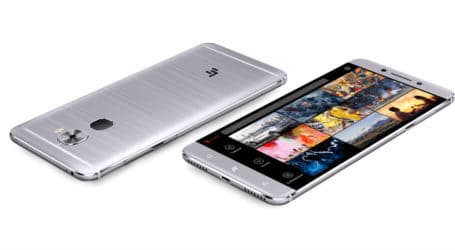
The fourth place belongs to LeEco Pro 3, whose price is 1,799 Yuan ($270) for the 4GB RAM + 32GB ROM model, 1,999 Yuan ($299) for the 6GB + 64GB, 2,499 ($375) for the 4GB + 64GB, and 2,999 Yuan ($450) for the 6GB + 128GB. You have many options in terms of ROM and RAM capacity, but they are all equipped with good features like a 5.5-inch Full HD screen, eUI 5.8 UI based on Android 6.0 Marshmallow OS, a Snapdragon 821 chip set, Dolby Atmos sound tech, a package of 16MP rear-facing + 8MP front snapper, and a 4,070mAh cell with Quick Charge 3.0.
5. Lenovo ZUK Edge
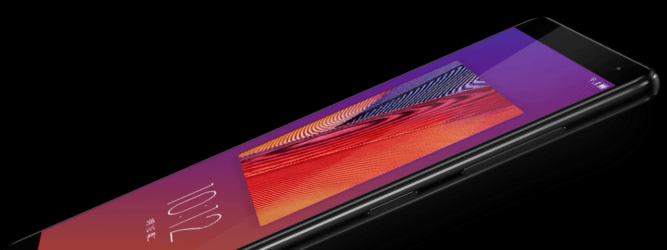
Here we’ve got Lenovo ZUK Edge. Spec-wise, it sports a Snapdragon 821 processor, 4/6GB RAM coupled with 64GB of internal storage (non-expandable), a 5.5-inch Full HD screen, Android 7.0 Nougat OS with ZUI 2.5 on top, and a 3,100mAh battery with Quick Charge 3.0 technology. About photography, you can use its 13MP primary (with f/2.2, PDAF and LED flash) or 8MP selfie (with f/2.2, 1/4″ sensor size and 1.12 µm pixel size) camera to capture everything.
6. Smartisan M1
It is one of the new flagship handsets of this Chinese company. Spec-wise, it packs a 5.15-inch Full HD JDI display along with a Snapdragon 821 chip, 4GB of LPDDR4 RAM and 32GB of UFS 2.0 internal storage. Not stopping there, Smartisan M1 specs contain a decent 3,050mAh batt supported by Quick Charge 3.0 and a great 23MP Sony IMX318 rear + 4MP OmniVision front-facing cam duo. You can do whatever you want with this smart Smartisan M1. Smartisan M1 price is 2,499 Yuan ($371) for those who wanna purchase it.
7. Smartisan M1L
No. 7 is Smartisan M1L, a bigger sibling of the Smartisan M1. It features a 5.7-inch Quad HD screen produced by Sharp, 4/6GB of LPDDR4 RAM, 32/64GB of UFS 2.0 ROM, a Snapdragon 821 chipset, a 4,080mAh cell supporting Quick Charge 3.0, and a 23MP main + 4MP secondary snapper combo. Smartisan M1L price is 2,799 Yuan ($415) for the 3GB + 32GB model, 2,999 Yuan ($445) for the 6GB + 64GB, and 3,299 Yuan ($490) for the 6GB + 64GB.
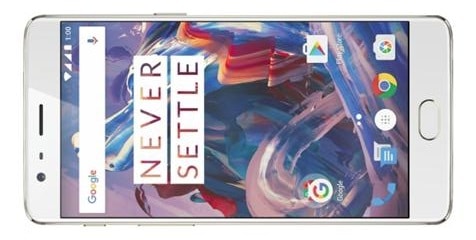
8. OnePlus 3
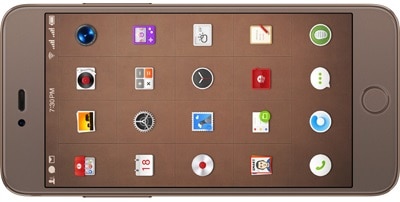
Next is OnePlus 3. It comes with a 5.5-inch Full HD Optic AMOLED screen, Oxygen OS 4.0.2 based on Android 6.0.1 Marshmallow OS, a Snapdragon 820 chip set, 64GB ROM (non-expandable), 6GB RAM, a 16MP + 8MP shooter duo, and a 3,000mAh battery with Dash Charge (60% in 30 minutes). Perhaps those OnePlus 3 specs are not the most modern ones for now, but they totally can do all the tasks well.
9. Xiaomi Mi5s Plus
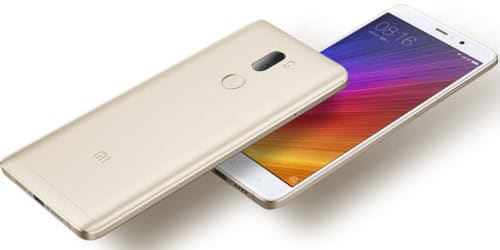
Number 9 and 10 are two warriors from Xiaomi: Mi5s Plus and Mi5s. You may think they are just some variants of the flagship Xiaomi Mi5, but actually they are more than that. Let’s check Xiaomi Mi5s Plus specs first. There are a 5.7-inch Full HD display, MIUI 8.0 based on Android 6.0 Marshmallow OS, a Snapdragon 821 processor, a dual 13MP camera system on the back, a 4MP sensor on the front, and a 3,800mAh battery with Quick Charge 3.0 in charge of running the whole phone. Besides, you can choose 64GB ROM + 4GB RAM or 128GB ROM + 6GB RAM Mi5s Plus to be yours.
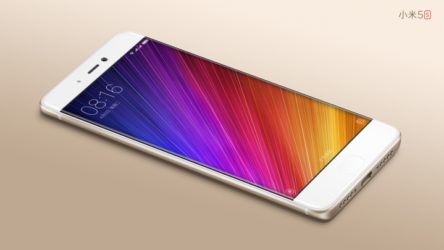
10. Xiaomi Mi5s
As for Xiaomi Mi5s specs, there are a 5.15-inch Full HD screen, 3D Touch tech (but for the 128GB ROM + 4GB RAM model only), Android 6.0 Marshmallow OS with MIUI 8.0 on top, a Snapdragon 821 chip, a 12MP rear + 4MP front camera combo, and a 3,200mAh battery with Quick Charge 3.0. In case of wanting something more affordable, you can take 64GB ROM + 3GB RAM Xiaomi Mi5s into consideration.
So those are 10 best performance smartphones in January 2017. If you want to have a summary of how much they scored in the Antutu test, please check the ranking below, and you can tell us what you think about them.
You May Like
-
Sony Xperia Ultra Max Pro Specs: 200MP Cameras, 19100mAh Battery!
-
-
Nokia Joker 2026 Specs: 200MP Cameras, 9800mAh Battery!
-
Nokia Horizon 2026 Specs: 200MP Cameras, 12800mAh Battery!
-
Nokia Titan 2026 Specs: 16GB RAM, 9700mAh Battery!
-
Redmi Note 15 Series Goes Global With 200MP Cameras, 6580mAh Battery, Price!
Pop-Ups on Android: How to Stop Them
Pop-ups are very obtrusive advertisements which are not only annoying, but can also cause high costs. For Android users, there is a simple way to stop them. This applies to both the smartphone and the tablet. Read on to find it out. 
How to get rid of them on Android?
If you see a lot of pop-ups while surfing the Internet through the Android browser, your pop-up blocker might be disabled. You can activate it in the settings of your browser. In addition, you can also install an ad blocker on your Android device, which can provide more aggressive ads blocking. Today we show you how to activate these helpful blocker:
First, open the Chrome, the default browser on Android. Then, touch More (⋮) at the right on the top of the screen and go to Settings. Scroll down to Site settings and open it. Afterwards tap on Pop-Ups and switch it off. Lastly, activate the pop-up blocker in other browsers. If you use other browsers on your Android device, you can enable the pop-up blocker for each of them. Moreover, in Firefox for Android, the pop-up blocker is always activated. That’s it. Quite easy, right?

Another helpful tip: Pop-ups which are displayed on your screen often depend on the websites you visit or the apps you use. Websites hosting illegal content are often full of annoying pop-ups. If you avoid these pages, less pop-ups will show up. It really works, just try it!
Stop Pop-Ups on Android
We hope our tips will help you to stop those annoying ads on your Android phone. You see, it is very easy to tstop them. If there is any tips that you want to share with us, leave the comments below. Stay tuned to update some other useful smartphone tips from our website!
You May Like
-
Sony Xperia Ultra Max Pro Specs: 200MP Cameras, 19100mAh Battery!
-
-
Nokia Joker 2026 Specs: 200MP Cameras, 9800mAh Battery!
-
Nokia Horizon 2026 Specs: 200MP Cameras, 12800mAh Battery!
-
Nokia Titan 2026 Specs: 16GB RAM, 9700mAh Battery!
-
Redmi Note 15 Series Goes Global With 200MP Cameras, 6580mAh Battery, Price!
Switching from iPhone to Android without loosing your stuff?
Switching from iPhone to an Android smartphone is not as difficult as many think. Manufacturers such as Samsung, HTC and Sony offer moving tools that make it easier to switch from iOS to Android. The OS switch also works without these tools. Today we show you how it works.
How to Switch from iPhone to Android?
The discussion about the advantages and disadvantages of Android against iOS have been very long among the users. Everyone has their preferences and preferred operating system. There will always be someone who wants to switch from iOS to Android and vice versa. The move from iOS to Android is not as hard as is generally feared. Of course, Apple does not want to let its own users to the rivalry, and has built a few “hurdles” into the program structure. With our guide you will be able to transfer your pictures, contacts and music easily.
Transfer contacts: Contacts and other data could be easily synchronized between iOS and Android. However, since Google does not support ActiveSync since 2013, it is a little bit harder to transfer the contacts: you can use your Gmail account to synchronize your contacts, Clouds, or certain apps that you can download for free. Transfer photos from iOS to Android: for many people are pictures the most important thing on a smartphone. Many precious memories you don’t want to lose. So, there are two ways to transfer pictures: first, you could probably do things the old way and manually transfer files. Or you can just take advantage of the awesome cloud storage services.
Transfer photos from iOS to Android: here you can also just transfer your music the old fashion way by manually moving files from phone to phone. Provided that, all your songs on your computer. Of course, you can also use a cloud or upload your music to Google Play Music, but this is way more complicated and takes eventually more time. Transfer Apps: Unfortunately, iOS and Android are very different operating systems, and so are the apps that run on these systems. There are many iPhone apps you can just use with iOS and the applies to Android. But luckily, both OS offer the most popular apps .
Switching from iPhone to Android
As you can see, it isn’t difficult as you may think. Just try our tips and let us know in comments!
You May Like
-
Sony Xperia Ultra Max Pro Specs: 200MP Cameras, 19100mAh Battery!
-
-
Nokia Joker 2026 Specs: 200MP Cameras, 9800mAh Battery!
-
Nokia Horizon 2026 Specs: 200MP Cameras, 12800mAh Battery!
-
Nokia Titan 2026 Specs: 16GB RAM, 9700mAh Battery!
-
Redmi Note 15 Series Goes Global With 200MP Cameras, 6580mAh Battery, Price!
How to hide files, photos and apps for Android phones!
Many people tend to keep a lot of files, photos and apps on their phones. However, it is not a good idea to display all these, for security or aesthetic reasons. Here are some tips to hide files, photos and apps for Android phones!

How to hide files, photos and apps for Android phones!
Firstly, for the files, it is not easy to do it on default. There is a very good third-party app for this: File Hide Expert, and it is free. It looks like just a basic file management app, but it is quite powerful to do the task. After downloading from the Play Store, access the app, and choose the folder icon on the top right. Then you will see the list of files that can be hidden away. Just choose, the return to the first screen, and press “Hide All”. One important final step is to set a password. Tap the menu button and then Settings (from within the app), you you will see the password option at the top. Choose that, make a password, and you are all set.
For photos, you can use the app KeepSafe. It is a handy app for photos hiding, and it is free, with option for Premium upgrade. Basically, it hides the photos you want from other people’s eyes, with PIN protection. The free version offers that and cloud storage. If you go Premium (for $4.99/month), you will also get extra protection like fake PINs that let users think they have access to your photos, and “Break-in Alerts”, where any attempt at breaking in will be logged, and secret door that disguises this as an utility app unless you long press it. The set-up is extremely easy, the guide is very intuitive the first time.

Finally, for apps, it is more simple. Many Android versions allows users to hide apps by default, like Samsung. If by chance you can’t, install the Nova Launcher. It is an excellent free launcher, and can hide your apps with simple steps. After installing and running, go to Nova Settings > App & widget drawers > Hide apps. Choose the apps you want to hide, and then you are all set. No more annoying apps on your home screen.
Make your Android phone usage more enjoyable!
Hopefully, these tips to hide files, photos and apps can enhance your experience for your Android phones. Ultimately, keep in mind that, these are just basic protections. You are the best layer of protection for your personal data, so keep treating those with care.
You May Like
-
Sony Xperia Ultra Max Pro Specs: 200MP Cameras, 19100mAh Battery!
-
-
Nokia Joker 2026 Specs: 200MP Cameras, 9800mAh Battery!
-
Nokia Horizon 2026 Specs: 200MP Cameras, 12800mAh Battery!
-
Nokia Titan 2026 Specs: 16GB RAM, 9700mAh Battery!
-
Redmi Note 15 Series Goes Global With 200MP Cameras, 6580mAh Battery, Price!
Android Tips and Tricks
Android is the most widely used operating system worldwide. Phones, running on Android, come in all shapes and colors, so there is something for everyone. We will show you some Android tips and tricks that will make your life with your phone easier.

5 Awesome Tips and Tricks
First, do you know that you can use Google Maps offline? It can be used while jogging, with limited data volume, or even when you travel abroad. Thanks to the reworked offline function of Google Maps, you can easily save map sections and metadata, and later retrieve them without an Internet connection. Secondly, if you are using at 2 apps the same time, you can use the split screen. It is a multi-window mode for Android phones. Just press the recent app menu to the left of the home button and you can see the multi-window apps. Choose the apps you want to use at the same time. Very useful!
Our next Android tip is about security. You can pin a certain app on your Android phone and the access to other apps will be prevented. Go to Settings > lock screen and security > other security settings and turn on the pin windows function at the bottom. Now, you can pin an app; to end this mode, just unlock this mode with your fingerprint. It is very useful, when your kids want to play a game on your Android phone: this function ensures your other apps cannot be opened.
Lastly, most of the users don’t know about that feature. However, there’s a hidden video game! Just go to Settings > About Device > Software Info and tap multiple times on ‘Android Version’. Tap again on the Marshmallow or Nougat logo that will show up. Let’s play, it’s quite fun!
Android Tips and Tricks
We hope our Android tips and tricks above are helpful for you. Just try them and tell us if you like those features. For more information follow our page!
You May Like
-
Sony Xperia Ultra Max Pro Specs: 200MP Cameras, 19100mAh Battery!
-
-
Nokia Joker 2026 Specs: 200MP Cameras, 9800mAh Battery!
-
Nokia Horizon 2026 Specs: 200MP Cameras, 12800mAh Battery!
-
Nokia Titan 2026 Specs: 16GB RAM, 9700mAh Battery!
-
Redmi Note 15 Series Goes Global With 200MP Cameras, 6580mAh Battery, Price!
New Smartphone – Best Tips before Buying
Are you planning to buy a new phone? But, what do you need to know? We would like to help you decide for a smartphone and that’s why we have compiled the most important aspects before buying a new smartphone.
Operating System: Android, iOS or other?
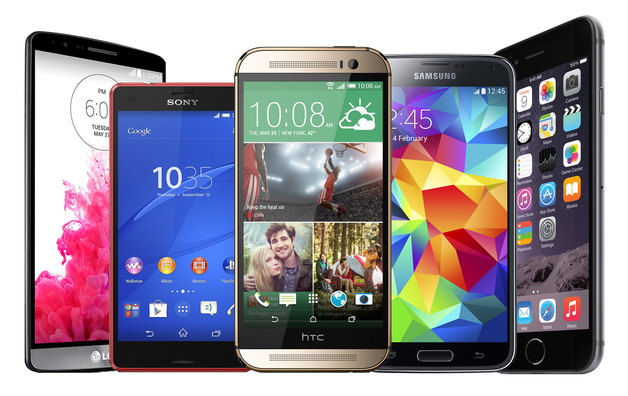
The first important decision before buying a new smartphone is the operating system. The most popular phones run on Android, iOS or Windows Phone. In addition, there are other operating systems such as Symbian, Bada and Blackberry, but they do not play a significant role anymore and most of the smartphone users don’t know them or are not familiar with these operating systems.
If you’re looking for a lot of cheap apps, you will be happy with an Android phone. In the Google Play Store you can find many free and cheap apps, but there are also many useless apps. If the price and the number of apps are not so much important, then iOS or Windows Phone are better for you. With Apple, the quality of apps is generally higher, because the apps there are checked more stringently. Windows Phone is not bad, but it cannot compete in terms of features or the variety of apps with Android or Apple.
What Screen Size Should You Choose?
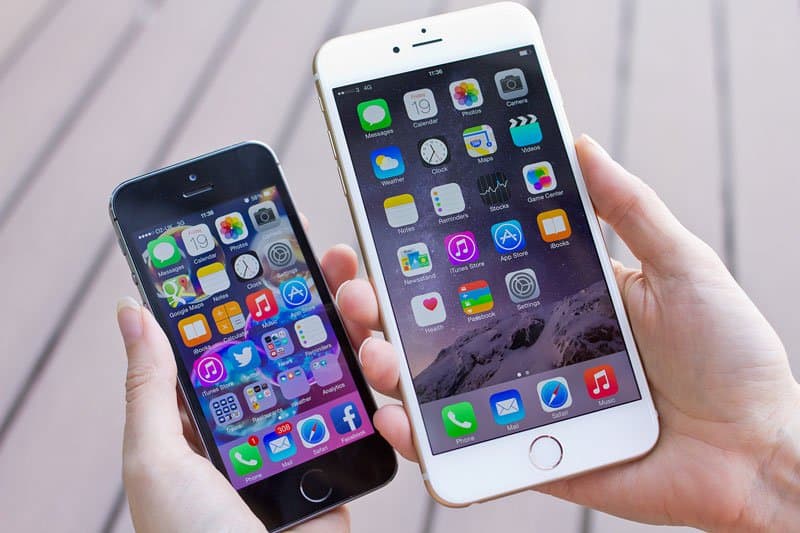
Larger displays provide you a greater overview, but it is difficult to use. Up to 4.5 inches are easy to use one-handed. On the one side, if you have small hands, it is recommended to buy a new smartphone with a small display. On the other side, a good display should have a size of at least 5 inches and a resolution of 1280 x 720 pixels, because with smaller displays, it is not fun to surf online, write messages or playing games. Besides from size and resolution, the brightness and contrast of the display as well. For example, LCDs are usually lighter and AMOLEDs have more intense colors.
How Much Storage Space Do I Need?
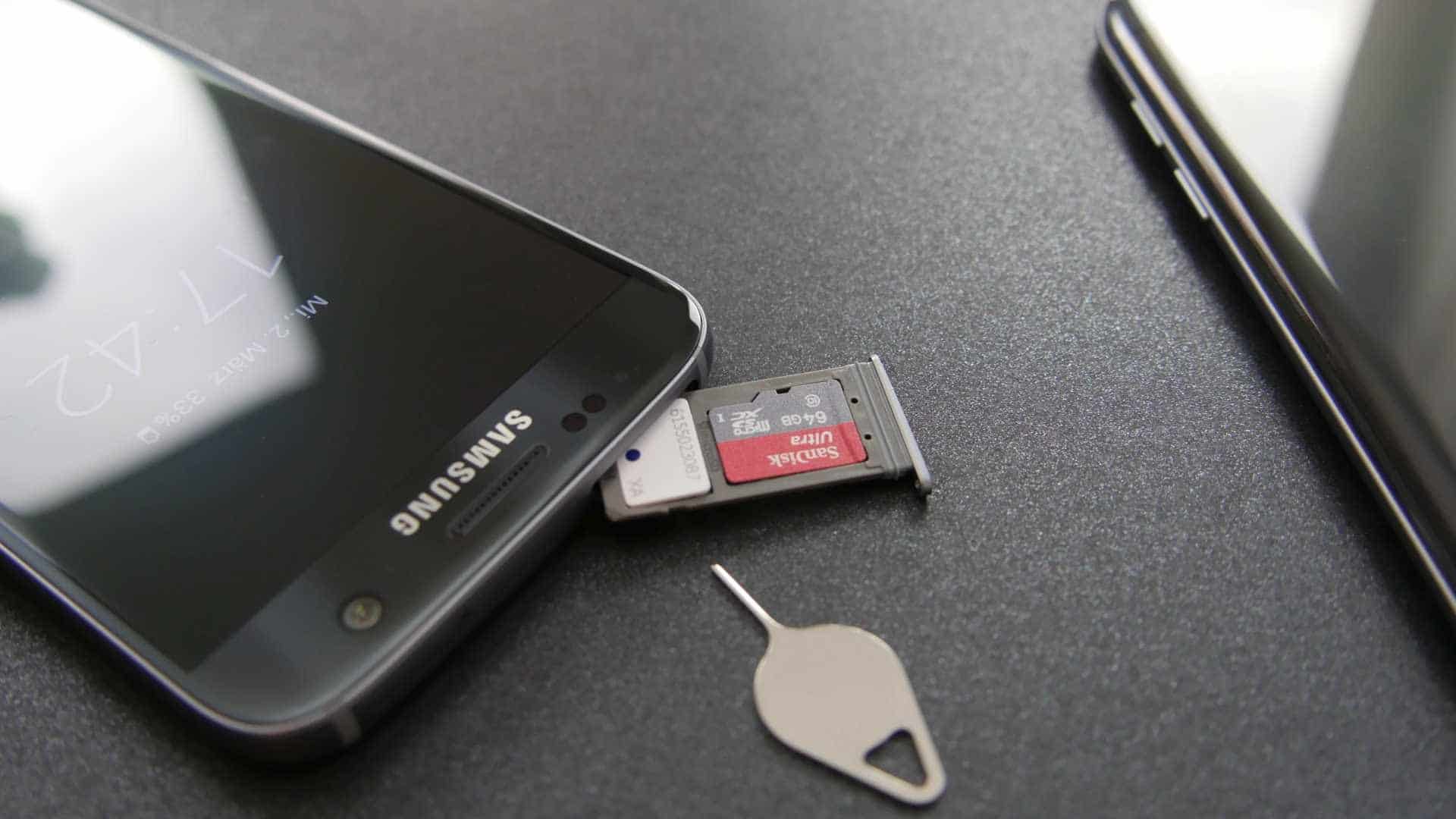
Another important aspect that should be considered is the storage space, especially when you tend to download many apps or keep many music songs, photos and videos. If this is the case, you must pay attention to the size of the built-in memory. Your smartphone should have at least 16 GB of internal memory. It is even better if your new smartphone can be expanded via a microSD card. Such cards are quite cheap just about 15 Euro for 32 GB.
Camera Quality?
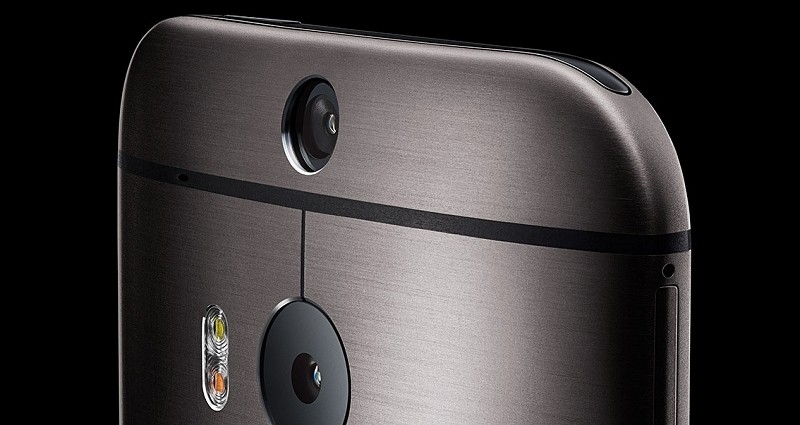
Our next point is the camera. Do you want to take snapshots with your mobile phone or do you want to take really good photos? If want to take sharp and precise photos, you should buy a phone with very good lenses and a resolution of 13 megapixels and more. Premium smartphones from Apple, Nokia and Samsung usually have high-resolution and very good cams, which are comparable with average digital cameras. If you don’t care about the cameras, a cheap mobile phone with 5 megapixels and less should be enough.
How Much Money Do You Want to Spend?
Last but not least, coming to the most important question: How much money do you want to pay for a new smartphone? To answer this question, you should go through the above points and determine what your next mobile phone should have. The more features and specs you want, the more you should spend. But there are also very nice phones with a great performance at an affordable price! Just follow our Webpage. In our opinion you should invest at least 150 Euro for a smartphone, with cheaper phones you won’t have a lot of fun.

Buying a New Smartphone – Best Tips
To sum up, there are many questions which you should answer yourself before buying a new smartphone: “Which operating system do I want to use? What about the screen size, do I prefer a big or small screen? Is a long battery life and a good camera important for me? Lastly, how much do I want to spend for a phone?” Think about these question first, in this way you can buy a phone that fits your needs the most.
You May Like
-
Sony Xperia Ultra Max Pro Specs: 200MP Cameras, 19100mAh Battery!
-
-
Nokia Joker 2026 Specs: 200MP Cameras, 9800mAh Battery!
-
Nokia Horizon 2026 Specs: 200MP Cameras, 12800mAh Battery!
-
Nokia Titan 2026 Specs: 16GB RAM, 9700mAh Battery!
-
Redmi Note 15 Series Goes Global With 200MP Cameras, 6580mAh Battery, Price!
How to wipe data completely when selling your Android handset?
You have been using your Android handset for a long time and you want to sell it but you have problems in erasing your data? Let’s have a look at the article below to figure out how to solve it!
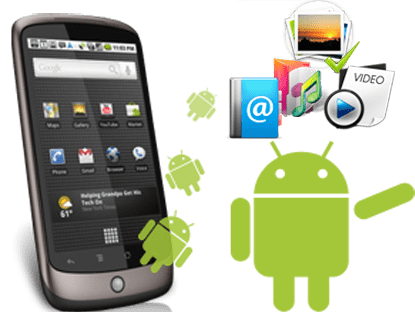
Erase data completely when selling your Android handset: 3 easy steps
People usually only do a factory reset on their Android handsets when selling it. However, it doesn’t wipe all of your data clean. Someone still can employ off-the-shelf recovery software and get some of that data back. To erase data completely, remember to encrypt your data first. This process can take a few hours so you better fully charge your handset or keep it plugged in while encrypting. Then you can access Settings > Security > Encrypt phone to continue.
Secondly, you should go to Settings > Backup & reset > Factory data reset and then tap Reset phone or Reset device to start wiping out. Don’t forget to back up your necessary data before you wipe everything. After finishing this step, the data can be recovered but can never be decrypted. Your data is now safe from thieves or anyone who want to steal data from your old device.
Finally, you should overwrite the encrypted data with junk data. To do it, just load a bunch of dummy data onto your phone such as large videos until the storage is full and then go back to step 2 and do the factory reset again. Or you can use some apps on Play Store like Secure Erase with iShredder. This part may not be obligated, but we recommend you doing that to be absolutely certain.
Erase data completely when selling your Android handset: round-up
Above are 3 steps for you to completely erase your data when selling Android handset. It will take you a lot of time but will secure your information from people with bad purposes. Moreover, they are quite easy and everybody can do it, not just smartphone experts. Stay tuned to update other useful tips for your device!
You May Like
-
Sony Xperia Ultra Max Pro Specs: 200MP Cameras, 19100mAh Battery!
-
-
Nokia Joker 2026 Specs: 200MP Cameras, 9800mAh Battery!
-
Nokia Horizon 2026 Specs: 200MP Cameras, 12800mAh Battery!
-
Nokia Titan 2026 Specs: 16GB RAM, 9700mAh Battery!
-
Redmi Note 15 Series Goes Global With 200MP Cameras, 6580mAh Battery, Price!
Android mobile gets overheated? The reasons are…
Heating up is one of the most irritating things when you are using an Android phone. Moreover, it could harm your device if you let it happen frequently. So, knowing why your Android mobile gets overheated and how to avoid it are very important. Let’s check out together!
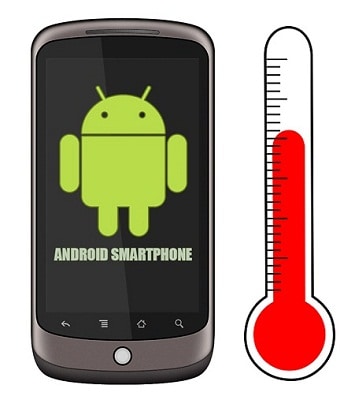
Android mobile gets overheated: 3 main reasons
Firstly, you are probably using an overcharged battery or a low-quality charger cable. If you usually charge your device while sleeping at night and take it out in the morning, this could be a reason why your mobile always heats up. Besides, charging by a low-quality charger can cause this problem as well. If this keeps repeating, your device could be exploded.
Secondly, maybe because you are using a suffocating case for your device. Some cases in the market recently are not good for your phone at all, especially for some metal finish phones. They can make your mobile heat up so badly. If you play games or watch movies, the situation will get worse. So, be careful when choosing a case, it could be more than just an accessory.

Finally, the most dangerous reason is because of the viruses. Some people doesn’t install any software or app to avoid being attacked by viruses. This could be a reason why your Android mobile gets overheated very regularly, even when not using any multitasking. To solve it, you can download some apps from reliable sources and scan your mobile for viruses with those apps.
Android mobile gets overheated: round-up
Above are 3 reasons why your Android mobile heats up. We know that there will be more causes. However, those are the main reasons that happen very usually and we sometimes don’t aware of them. We hope that after finish reading this article, you will find out a way to prevent your device front being overheated. Stay tuned to update more useful tips!
You May Like
-
Sony Xperia Ultra Max Pro Specs: 200MP Cameras, 19100mAh Battery!
-
-
Nokia Joker 2026 Specs: 200MP Cameras, 9800mAh Battery!
-
Nokia Horizon 2026 Specs: 200MP Cameras, 12800mAh Battery!
-
Nokia Titan 2026 Specs: 16GB RAM, 9700mAh Battery!
-
Redmi Note 15 Series Goes Global With 200MP Cameras, 6580mAh Battery, Price!


